Author: Chris Talbert

How to Create an Integrated Marketing Campaign

Posted on by Chris Talbert

With new sources of entertainment and information constantly competing for brainspace, it’s little wonder there are so many great companies lost in the roar. An integrated, consistent, seamless message stands out in the noise like a quiet pause.

Let’s say you’re the marketing officer at a luxury hotel, and you’ve been tasked with increasing the number of heads in the beds. We’ll walk you through the steps of an integrated campaign to help you reach that goal.

Define your goal

Wait, didn’t we just say our goal is to increase the number of heads in beds? We did, but that isn’t what we call a SMART goal. A smart goal is specific, measurable, attainable, realistic and timely. So, the SMART version of this goal would read something like:

Increase the number of heads in beds by 15 percent over the next year.

Know your audience

Once you’ve defined your goal, it’s time to define your audience. You have to understand your audience, sometimes called personas, to reach them with a message that resonates. This is called a human-centered approach. One way to do this is to review your past clientele and customers. You should be able to answer questions like:

  • Gender breakdown
  • Age
  • Average income
  • Location
  • Occupations

A persona for a luxury hotel might be described as:

Luxury Larry is a 50-something business traveler. As an executive at a high-end tech company, he needs a quiet place that feels like home to rest and recharge between meetings and events. He often leads conferences and meetings, and needs a single venue that provides housing, meeting space and amenities, such as meals, for several dozen employees. Larry also likes to bring his wife and family along—and encourages others to follow suit. So, the ideal place has other amenities, such as pools and day spas, to entertain the family. He also likes hotels that are conveniently located near fine dining, shopping and other attractions.

Pick your channels

Now that you’ve defined your audience, think about what channels are best to reach them. An integrated campaign should resemble pieces of a puzzle, so it’s also important to consider how all pieces of marketing work together: digital, print, video, public relations, inbound and more. For example, the campaign might look like this:

  • Ads running on Google and social media promoting a special deal
  • A news story detailing renovations or offerings in the hotel
  • Organic social media posts of guests enjoying themselves
  • A blog post on your website about amenities
  • Billboards and print ads

Tactics on all of these different channels will point back to one place: your website. Your website will serve as the information hub for booking, pricing and essential details travelers need to know.  

Create adaptable messaging

Integrating the advertising campaign doesn’t translate to stamping the same logo/image/tagline on every product or media available. Create a single message that can be adapted to best fit the platform.

Track and report

The only way to know if your campaign was successful is to track your results. Let’s go back to our SMART goal:

Increase the number of heads in beds by 15 percent over the next year.

Tracking doesn’t mean starting your campaign and not touching it again until the end. Monitor your results over time to ensure you’re on pace to meet your goal, and adjust if necessary. Remember to review stats like website visits, landing page conversions, and ask visitors how they heard about your hotel.

Integrated marketing is about more than just putting all your marketing eggs in one basket. It’s about coming up with an effective, actionable game plan, where the value of the whole is much greater than the sum of the parts. It’s about creating rich, engaging content to convey your message to the target audience. It’s about determining what your target audience cares about, and who they really are. It’s about leaving your assumptions behind and digging in to find out what’s really effective, and who’s actually paying attention.

Ready to get started? Contact us today!
Your Guide to On-Page SEO

Posted on by Chris Talbert

Search Engine Optimization, or SEO for short, is comprised of dozens of factors —website age, structure, size, content, meta descriptions and more. All of these factors are at the mercy of Google Algorithm updates, so keeping up with your SEO may seem like a daunting task. The best way to keep up with your SEO is to stick to the basics: optimizing your site with specific keywords relevant to your business through on-page SEO. On-page SEO determines how your website “talks” to a search engine, so to speak, and nailing your on-page SEO will help you rank higher in search engine results. So, where should you start?

Choose Your Keywords

Let’s say you’re craving some pizza one night but unsure where the closest pizza place is. The first thing you’ll do is hop on your computer or smartphone to google something like “pizza delivery in knoxville tn.” Voila! Google gives you a robust list of pizza places in your proximity.

When developing a keyword strategy for your business, identify the products or services you offer, then think about what keywords people use to search for that product or service.

For example, if someone is searching for pizza delivery near them, they won’t simply search “pizza” or “pizza delivery.” The search will likely specify something like “pizza delivery in knoxville tennessee.”

Still not sure what keywords you should place on your site? Check out this blog.

Audit Your Site

Whether you’re optimizing a current site or a brand new site, the first step is to perform an SEO audit. Our friends at Hubspot put together a free video series to walk you through an SEO audit. Essentially, it will look something like this:

  1. Arrange all your site pages in an Excel document
  2. Categorize each page
  3. Select specific, long-tail keywords based on the page content

(Naturally) Place Your Keywords

When you’re optimizing existing pages, ensure your keyword appears naturally—don’t force it! Search engine optimization is as much about human users as it is about crawl bots. Keep the humans and the bots happy by focusing each page around one, specific, long-tailed keyword.

This same rule applies when you’re creating new pages. Pick your keyword before you begin to write content around it.

Where Should I Place Keywords?

For your optimization efforts to be effective, place your keywords in the right places:

  • In the meta description
  • In the title tag
  • As image alt text
  • On the page, in the first paragraph of copy and in headings
  • In the URL

Placing keywords in these specific locations will boost your SEO, as well as your click-through rate.

Ok. I’ve updated my site pages. What’s next?

To stay on top of your on-page SEO, always add metadata when you add new pages, and regularly update your blog with content optimized around your keywords. It may take some time before you see the fruits of your labor. There are many factors that contribute to SEO, and many take time to accumulate. We recommend checking in with your keyword rankings and other basic SEO stats around once per quarter.

Were my efforts successful?

If you start seeing your site moving up the search engine rankings, you are on the right track. Results-wise, aim to be on the first page—ideally, in the top five. If you’re not seeing movement, try researching better, more targeted keywords or increasing the amount of content you write around that keyword.

Need help optimizing your site for search? Contact us today!

Big Brands, Big Laughs: The Best April Fools’ Day Pranks in 2017

Posted on by Chris Talbert

Outside of those suspicious Facebook statuses from family and friends (you know the ones), April Fools’ Day doesn’t make an impact on many of us. It’s just a day guaranteed to deliver a chuckle or two. One group, however, takes the day very seriously.

Big brands are hardcore about the celebration, especially in the tech industry. From new designs and products to elaborate video and website campaigns, April Fools’ Day is no joke to these businesses. Here are the gags that we loved the most this year.

Copycat Snapchat
Facebook doesn’t have the best reputation when it comes to originality. With its approach to new features teetering more on adoption than innovation—most recently copying Snapchat’s stories format for Instagram and now Messenger—Snapchat fired back April 1st with a filter resembling an Instagram post. It speaks for itself.

Netflix Live and Hu


Our attention spans are getting shorter
, and Hulu knows it. The streaming company “announced” its newest venture, Hu, which will feature abridged versions of TV shows, lasting only eight seconds—it’s “Goldfish Approved.”


Netflix, on the other hand, took a long-form approach by creating a 48-minute special featuring Will Arnett narrating the happenings and objects of the Netflix office. Interestingly, both Netflix and Hulu’s gags could be interpreted as a commentary on social media, with the notorious six-second Vine now defunct and live video integration across most every platform.
 

The Cubs Fake A Game
While not in the tech industry, the Cubs used their large social media following to pull off a simple prank. With the season opener set for the following day, the Cubs ran the script early and tweeted out highlights for a game that wasn’t even happening. The final score was, of course, 29-1. Check out all of the tweets

The Smart Yard is Finally Here
Arguably the most humorous prank of the year, Google rolled out the yard-ready version of Google Home—the Google Gnome.


What was your favorite prank, and do you think April Fools’ Day ads actually work in influencing people’s brand opinions? Let us know!

Want more? Here are a few other prank round-ups around the internet:

Should You Use Emojis in Your Brand’s Marketing?

Posted on by Chris Talbert

By Sarah Lutz, Public Relations Intern

The use of emojis has grown exponentially in the past few years 📈. Emojis have become such a big part of popular culture that it’s understandable why companies big and small have adopted them in their marketing. The question is no longer “can you use emojis?”, but rather “is it right for your brand?”

We’re taking to Twitter to look at the brands that do it better than the rest. As a matter of fact, Twitter knows how popular emojis are on its platform:


Coordinate It With Your Content
Old Navy shines in this tweet by matching emojis to its image. The pineapple and sunglasses plays with seasonality and keeps the message light-hearted.


Let The Emoji Speak For You
Target does an excellent job creating a tweet that says what it needs to say without any actual copy. Consisting of only a mention, hashtag and link to a campaign-specific GIF, Target gets right to the point. Bonus points for picking an infrequently used, but perfectly relevant emoji.


Give It Value
You’ve likely heard of this next one. In 2015, Domino’s rolled out its “AnyWare” ordering system, allowing users to order pizza by simply mentioning Domino’s and including a 🕠in a tweet. It has since expanded to a number of devices and technologies, but it all began with a simple emoji.


Google has also adopted this capability briefly. Although somewhat less useful and efficient than speeding up your pizza order, you were able to tweet Google an emoji and get corresponding search results.


Keep It Tasteful
We don’t have to remind you to be responsible when it comes to the content your brand shares on social media. There are many examples of brands using emojis tastelessly and, overall, poorly, resulting in follower losses, firings and bad impressions. For example, Goldman Sachs’ “millennial” tweet”, the Houston Rockets’ “emoji violence” tweet or the Clinton campaign’s failed solicitation for emojis in the “student loan debt” tweet.

Outside of social media, you can also find emojis in email subject lines, on billboards, in commercials—virtually, everywhere. With widespread acceptance and more than 1,000 emojis, your options certainly are not limited. 

Additional Reading:

  1. Emojis Make Brands Fun, Relatable – eMarketer
  2. The Deeper Meaning of Emojis – Buffer
  3. How Consumers Feel About Branded Emojis – Contently
  4. The Art of Emoji Marketing – HubSpot

Want to Win a Pair of Snapchat Specs? Visit Designsensory at the Southeast Tourism Society Spring Symposium!

Posted on by Chris Talbert

The Southeast Tourism Society’s Spring Symposium is coming to Knoxville next week, start on March 27. And we’re proud to be a sponsor!

As part of our sponsorship, we’re holding a pin trading contest—and you could win a pair of Snapchat Spectacles! Here’s how it works:

  • Start with the Designsensory “Spark” pin that comes with your lanyard when you arrive at the symposium.
  • Collect pins that are scattered throughout the hotel that represent a few of our tourism clients. Follow us on Facebook, Twitter, Instagram and Snapchat for clues!
  • Once you’ve found ten pins, bring them to our booth to redeem your grand prize: A pair of Snapchat Spectacles!

Want to get a head start? Simply fill out this form, and present the certificate at our booth during STS to redeem your bonus pin!


What to Consider When Planning a Grand Opening

Posted on by Chris Talbert

What’s the perfect way to celebrate the opening of your new business? A formal grand opening! Grand openings are the perfect outlet to share the excitement of a new business with the community and media. But, there are a lot of things to consider before the big day.

Make a plan

Before you start, it’s important to ask yourself a few key questions:

  • What is the goal? Is your goal to get media to attend? Have community members attend? Whatever your goal is, make sure is a SMART one—specific, measurable, attainable, realistic and timely.

  • What is the budget? Ask the decision-maker how much they are willing to spend both in man-hours and in advertising. It’s critical to know what your budget is before you start mapping out specific tactics to ensure your plan attainable and realistic.

  • Who are we trying to reach? Before you can start mapping out specific tactics, you need to know whom you are trying to reach. Community members? Media? Local business owners? You might have multiple audiences, which means you’ll need to account for multiple tactics and strategies to reach them.

  • What is the timeline? Give yourself at least 6–8 weeks to plan a grand opening. This will ensure you have adequate time to create collateral and place advertisements without rushing. Create a realistic timeline once you have an approved budget, plan and strategy.

Get strategic

Once you’ve defined your goal, budget and target audience, think about what strategies will help you reach those goals. Here are a few we recommend, along with a timeline:

6–8 weeks before …

  • Get in touch with the local chamber of commerce. Grand openings mark an increase in business in the community, so they often will provide a ribbon and special scissors for a formal cutting, speaker from the chamber and guaranteed press coverage.

4–6 weeks before …

  • Secure advertising. Print and social media ads are ideal for grand openings, as they allow you to target segments of specific audiences. Pro tip: When negotiating print advertising, aim for the days that contain the most coupon inserts (often Sundays) for increased coverage. Also, take advantage of pick-ups to get your ad in additional editions in the weeks leading up to the event for a lower cost.

  • Raise your advertising game with a radio remote. Print and digital ads have their place, but really step up your game by coordinating a radio remote to be there during the event. Not only does that ensure you have an ad running during the event, it allows for increased exposure with live, on-air interviews.

3–4 weeks before …

  • Invite media. Send your press release or media alert 2–3 weeks before the event. If you’ve contacted the chamber of commerce, you probably will be guaranteed at least one story, but sending out a press release before and after the event will help you gain additional coverage. It also helps to follow up with personal pitch emails to confirm media attendance and coverage.

  • Consider giveaways. Prizes are a great way to attract community members—no matter how big or small. It’s also a great way to get partners and other small businesses involved if they’re willing to donate prizes in exchange for recognition at your event.

On the big day

Make sure to have relevant information—such as the schedule for the event, names of speakers, timeline/guests for radio appearance—handy to reference if media or other reps have questions. Also, ensure that your speaker is prepared to say a few words thanking the community, partners and other sponsors. Write talking points to help speakers stay on track and remember important information. Your job as the PR professional is to make sure the day goes smoothly and everyone has what she or he needs.

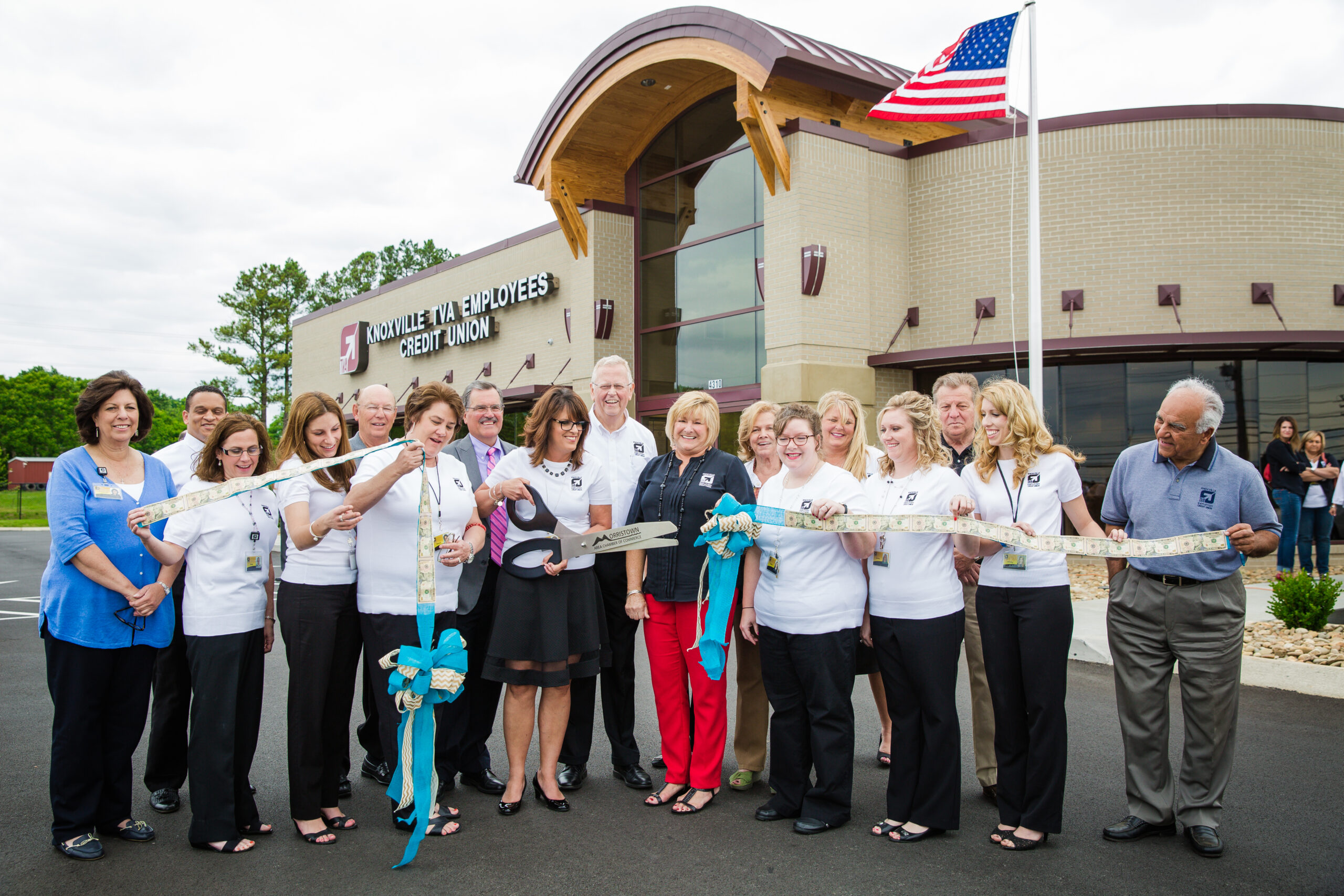
Ready for to celebrate the opening of your new business? We can help! Contact us today to learn more, and read about our work with Knoxville TVA Employees Credit Union’s grand openings in Morristown, Tennessee.

Technical Writing: How it Works For Ad and Web Writing

Posted on by Chris Talbert

Technical writing is often thought of as proposal writing or instructional writing. However, the principles taught for technical writing span across many industries, especially the creative. Here are just three “technical” lessons that you should consider when writing for a website or a quick ad.

1. Give Me Active, Or Give Me Death

Verbs can be expressed in active or passive voice. Active voice is a subject, verb, object formula. It’s more direct. And when we’re dealing with the need to reach audiences that are swamped by advertising daily, I would argue that being direct is the most important thing we can do as marketers. Passive voice, by contrast, is very often elusive and difficult to understand. By its nature, passive voice creates longer strings of words and gives you no responsible party for the action mentioned. Remember: clarity is key.

2. The Right Tone Zone

Many people confuse voice, tone and personas. So, let’s clear the air on what these things are, so we can accurately understand tone. Tone is more of an attitude about a subject, whereas persona is the voice a writer creates. And voice is often used interchangeably with tone. The only difference is voice, in a literary sense, refers to the truthfulness or authority of the author. Allow me to borrow this quote from my former professor, Dr. Hirst: “The best way to understand tone, I think, is to regard it as the servant of persona.”

So, why worry about tone? Because it links directly with everything. Tone will define your attitude, whether or not you use jargon, what words you use … everything! So—to make a short story long—find the right tone for clients.

3. Writing Ethically

In advertising, audiences vary greatly. With that variance comes the need to write ethically; meaning our words need to be true, helpful and inoffensive. That’s why we research before we start projects. It’s so important to not offend your audience in advertising, either intentionally or unintentionally. Do you say hearing impaired or deaf? That’s a very important conversation to those who are deaf. Being inclusive isn’t hard, but you have to know the difference between these words and what they mean in respect to the people who are inclusive of them. Gender-neutrality can spare you some time as well. Humankind, doctor, police officer, nurse, chair, home maker; not mankind, lady doctor, policeman, male nurse, chairman, housewife. For clarity on certain issues, refer to your stylebook—The Associated Press, for example.

There are so many more technical writing lessons on coherency, punctuation, word usage and more. But I’ll leave those for you to find. Just know that the advertising world is constantly adapting, so make sure your writing principles are up-to-date. Link up with professionals that have the cognizance you desire. And as always, Designsensory is here to help anyone with questions about advertising in any context. Go use those new skills!


2017 at Designsensory: What We’ve Been Up To (So Far)

Posted on by Chris Talbert

2017 has been a busy year at Designsensory, and we’re just getting started!

It’s a hall of fame year.

The highlight of 2017 (so far) has been the 52nd American Advertising Awards show. We took home 29 awards and our founder/executive creative director, Joseph Nother, was inducted into the AAF Hall of Fame! Check out the recap here.

Also, on the awards front, Taylor Walters and Erick Baker won a regional emmy for their writing on our co-produced TV show with TWRA and Popfizz, Tennessee Uncharted. Congratulations, guys!

New year, new faces.

We’ve also welcomed several new faces in 2017. Kaitlin Pawl joined us from Chicago as an account manager, along with her account coordinator, Taylor Montgomery, from Nebraska. Taylor Walters, formerly the production director at our sister company, PopFizz, joined the team as our director of studio production. Finally, we welcomed part-time graphic designer Diana Lowrie, as well as two interns, Sarah Lutz (public relations & social media) and Erik Vaas (design).

In addition to new faces, some current DSers earned promotions this year!

Finally, our interns, Phoebe Spooner and Krista Gilbert, joined the team in January as marketing coordinator and project coordinator, respectively.

Road trippin’

Myself (Samantha), Mary and Lindsay traveled to Wilson, Arkansas to witness their progress, check in with some friends and have some amazing food! And, of course, we started making plans for the 2017-18 year. Wilson is a former company town with a new, dynamic vision that unites education, arts, food, history and agriculture to generate a new model of learning, creating and innovating.

While we were in Wilson, Kaitlin, Joseph and Taylor W. traveled to Fort Myers, Florida to see Troyer Brothers and shoot still photography to tell the story of the rich, multi-generational history of the Troyer family farm. What’s interesting about this is that our long-time clients in Wilson are friends of the Troyer Brothers and were kind enough to introduce us!


What’s the Best Content Management System?

Posted on by Chris Talbert

If you’ve ever looked for a new content management system for your website, you know there are hundreds of choices out there to sift through. Which one is the best? There’s no easy answer, because each CMS holds unique features that work for different industries. To help cut through the clutter, we’ve outlined the pros and cons of three commonly used content management systems here at Designsensory.


WordPress

WordPress is a free platform (though it doesn’t provide hosting) that was initially developed for blogs. Nowadays, it’s a robust system that’s supported by thousands of mostly-free extensions,  suitable for a wide variety of needs such as blogs, marketing and eCommerce. The WordPress CMS is quick to set up and publish on the web. It’s also easy to use, whether you’re new to or experienced with content management systems. If you do need help, WordPress has an active community to support you.

Despite its theoretically limitless customizations, however, many of the ready-made themes look the same. If you wish to create a custom theme or extension, or tweak existing ones, advanced coding knowledge is required. Also, WordPress is known to have exploitable areas in its security. Luckily, WordPress frequently revises the CMS to circumvent this. The downside is that these frequent changes often break extensions and, subsequently, your website.


Squarespace

Squarespace is a paid platform, although hosting and a dedicated 24/7 support team is included. Unlike WordPress, where you install plugins as needed, Squarespace comes as an all-in-one package that covers most features of website building. Squarespace’s drag-and-drop design is both simplistic and user-friendly.

A consequence of this ready-made and simplistic package, Squarespace’s major drawback is it fits your website into a mold. For example, the templates, which have limited customization, rely on large, high quality image backgrounds, and third-party extensions are not supported. Also, while Squarespace boasts is eCommerce functionality, it’s not as robust as other systems. Finally, Squarespace reserves the right to remove your site at its discretion.


MODX

MODX is a free platform that provides hosting through MODX Cloud. It provides a clean interface, a high level of security and built-in search engine optimization. Like other content management systems, extensions add additional functionality and are easy to edit with code.

MODX’s biggest drawback is that it takes time to set up, and setting it up requires coding experience. Pre-made themes do not have built-in customization features, and the number of extensions are fewer than other content management systems. If you need help, MODX lacks support and documentation.


ExpressionEngine 

ExpressionEngine is a paid platform; although, it does have a feature-limited free version, and hosting is not provided. It’s suitable for a variety of uses, with its wide variety of extensions; people new to content management systems should find it easy to use. If you need help, ExpressionEngine provides both official and community support and documentation.

The biggest drawback to ExpressionEngine is the licensing is expensive up front. Furthermore, certain functionalities are separate charges, limited to three websites per purchase. And while the CMS is easy to use, the unique way of adding content will seem awkward at the beginning. Also, coding knowledge is required to set up the website, and adding extensions are unnecessarily complicated.


What’s the Real Difference?

Still can’t decide? Don’t worry. The good news is that content management systems are more similar than different. As developers learn from each other, the systems are likely to become more streamlined. If you feel like these four systems don’t suit your needs, there are plenty more to choose from, including Designsensory’s own DSX, which can be tailored to suit your website’s needs.

Whichever system you choose, keep upgrading. Content management systems will become more usable, more powerful and more familiar. Contact us to set up a web consultation!