Author: Chris Talbert

The How and Why of Facebook Live

Posted on by Chris Talbert

You’ve likely noticed an increase in the number of videos populating your Facebook feed. Facebook has aided in the dramatic rise in the consumption of video content on social over the past few years. Anyone with a smartphone can easily create videos—no additional equipment or editing required. Now, the question is, should you?

Should I Use Facebook Live For My Business?

Many businesses hesitate to adopt new social platforms or practices into their marketing plans. However, the case to use Facebook Live is a strong one, even more so considering your business likely already has a page.

Facebook still reigns supreme over other social networks with the most monthly users, and visitors spend an average of 50 minutes a day across its suite of apps. All those videos in your feed? They are a small part of the eight billion video views Facebook saw each day by the close of 2015. Live video is also more successful in certain metrics—people comment 10 times more on, and spend three times longer watching, Facebook Live videos compared to regular videos.

What Do I Do on Facebook Live?

Highlight your product or service with an attention-grabbing demonstration. Facebook Live can also be a good way to both break news and, if you’re an experienced professional, comment on breaking industry news. Go behind the scenes. For example, the first Facebook Live was a broadcast from Mark Zuckerberg showing off the Facebook offices. If you build a sizable following, interviews and Q&As give you excellent opportunities to engage your audience in a unique way. Showcase your expertise with how-to videos, and make them about 10 minutes in length. Even without explanation, just showing someone’s skills can be interesting to viewers.

How Do I Broadcast on Facebook Live?

Six easy steps for broadcasting live on Facebook:

  1. From a mobile device, go to your Facebook page and choose “Publish.”

  2. Choose the “Live Video” option.

  3. Provide an engaging and informative description of the broadcast.

  4. Hit the blue “Go Live” button.

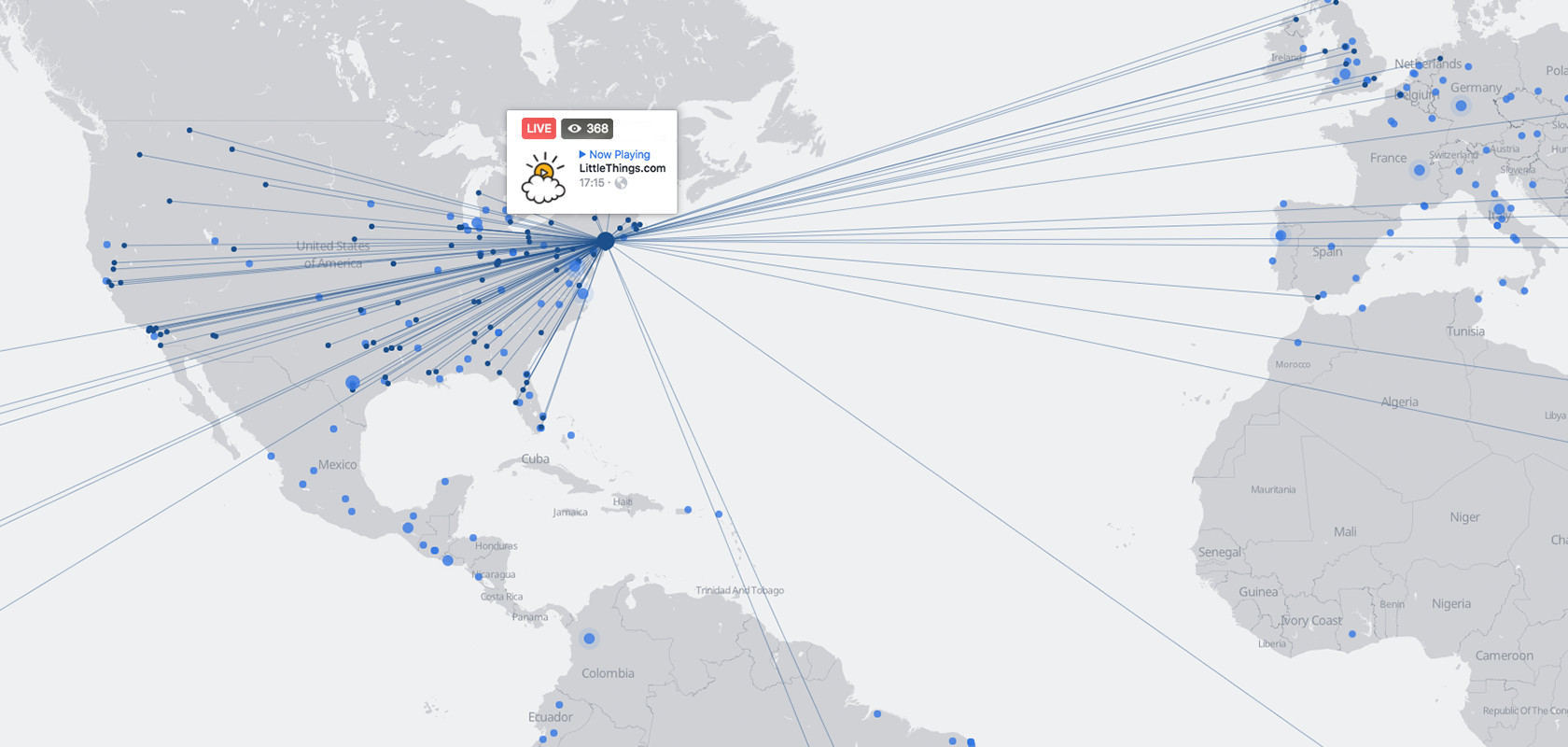
  5. You are now broadcasting a live video directly to your Facebook page. A flashing red “Live” button at the top of your video will confirm this and tell you how long you’ve been streaming.

  6. Once you are done with the broadcast, click “Finish” in the bottom right corner. After the broadcast has ended, you will have the chance to review it, upload it to your Facebook page and download the video to your phone.

A few other important notes: By clicking the edit button in the top left corner while in portrait mode, you can apply filters and draw on the screen. You can also shoot in landscape mode but will lose the ability to draw and apply filters. In the top right corner, you can change between the rear- and forward-facing camera. 

What Do I Do After I’ve Gone Live?

You can make a number of easy edits to improve the post of your broadcast, or share it elsewhere. From your page, choose Videos > Video Library > Edit Video to change the title, thumbnail, upload captions and more. When choosing a thumbnail, Facebook generates 10 image options, or you can upload your own thumbnail. You can also choose to tag the video with relevant keywords and choose a video category. From a desktop computer, you can download the video in this section as well.

If you’d like to further promote your video, you can embed it on your blog or upload portions of the full video to other social platforms, such as YouTube, Twitter and Instagram. To embed the video, click the dropdown menu in the top right corner of the post and copy the code to post on your website. To upload the video to other platforms, simply download the video to either your phone or your computer.

How Do I Make Better Facebook Live Videos?

In addition to following best practices, you can always make an effort to improve the quality through various production solutions. Don’t worry, it’s not supposed to be perfect. However,  no one likes shaky video or muffled words.

Keep it lean by picking up a few cheap tools like a smartphone tripod, an external microphone or a wider lens. Kick it up a notch by using a rig or an iPhone gimbal. We recently used the DJI Osmo Mobile for a Live event. The DJI Osmo, a tier up from the Mobile, is a completely separate camera with a number of capabilities and live streaming options built in. If you need to switch between a couple different cameras, use software such as Switcher Studio, which allows users to link multiple iDevices to create a high-quality video production using multiple camera feeds.

Need Some Help?

We’d love to chat about how your brand can integrate video and Facebook Live into its marketing efforts. Drop us a line if you have any questions or want to know more about our process, services or work.


Designsensory Welcomes New Team Members, Expands Its Staff

Posted on by Chris Talbert

What do a math geek, an outdoor enthusiast, a yogi, a creative, an adventurer and an explorer all have in common? They’re new additions to the Designsensory team

With the change in the weather (finally) comes a fresh crop of faces at Designsensory. Please help us welcome our newest team members:

  • John Davis, Senior Technical Developer

  • Courtney Gerringer, Project Coordinator

  • Meghan Palmer, Copywriter

  • Kaitlin Pawl, Account Manager

  • Ben Maxey, Graphic Designer

  • Krista Gilbert, Project Management Intern

  • Phoebe Spooner, Strategy Intern

They’re all excited about the challenges and adventures of working at DS, including growing in their respective strengths, taking ownership of challenging projects and working with our talented staff.

The winds of change have also brought forth some old DSers taking on new roles. Chris Cable has transitioned into a new role as content manager, where he’ll be coordinating the content team to better manage workflow and integrate content with design. Justin Gibson has taken on a new role as technical developer, where he’s excited about solving complex technical problems. Finally, Krista will be joining us full-time in January as a project coordinator. 

These new additions and changes will allow us to build our client services team and strenghten our competencies by incorporating new skill sets, perspectives and personality into our work.

We’re always looking for more talented people to add to the team. Check out our list of open positions.

Is Your Website ADA Compliant?

Posted on by Chris Talbert

How many times a day do you access a website? To check your bank account balance, fill out medical forms or apply for a car loan? These simple tasks we perform on a daily basis become much more difficult if your vision or hearing is impaired and a website is inaccessible. 

Enter, the Americans with Disabilities Act. The ADA was passed in the early 90s, but in 2010, the Justice Department released the 2010 ADA Standards for Accessible Design, and it’s been determined that “design of the physical space” includes websites.

Though official guidelines for web compliance aren’t projected to be released until 2018, there are things you can do now to ensure users with impairments can still easily use your website and meet the guidelines of the 2010 update.

What does the ADA say?

The ADA’s guidelines for accessible websites are projected to look like the World Wide Web Consortium’s Web Content Accessibility Guidelines 2.0, Level AA (WCAG 2.0), which the Justice Department has used in several lawsuits. WebAIM developed a checklist to assist businesses in meeting the guidelines, but here are the basics, straight from the WCAG 2.0 guidelines.

Perceivable:

  • Provide text alternatives for non-text content (exceptions apply).

  • Provide alternatives for time-based media.

  • Create content that can be presented in different ways without losing information or structure.

  • Make it easier for users to to see and hear content.

Operable:

  • Make all functionality available from a keyboard.

  • Provide users enough time to read and use content.

  • Do not design content in a way that is known to cause seizures.

  • Provide ways to help users navigate, find content and determine where they are.

Understandable:

  • Make text content readable and understandable.

  • Make web pages appear and operate in predictable ways.

  • Input assistance: Help users avoid and correct mistakes.

Robust:

  • Maximize compatibility with current and future user agents, including assistive technologies.

So … Where do I go from here?

Quite simply, make sure your website complies with these guidelines! Most of these items can be taken care of during website development, so simply ensuring your developers are aware of the requirements will go a long way. Plus, the WCAG 2.0 provides developers with handy dandy instructions on how to meet the guidelines.

But if your website doesn’t meet all of these requirements, don’t worry; the changes don’t have to happen overnight, and you don’t need to hire a lawyer to plead your case. Like with a physical space, the law allows for transition plans, exemptions, etc.

If you’re considering redesigning your website, make sure the agency you choose is aware of the guidelines and will ensure your website is compliant. Contact us today to learn more. 


How to Write Headlines That Engage Your Audience and Raise Your SEO Ranking

Posted on by Chris Talbert

David Ogilvy once said, “On the average, five times as many people read the headline as read the body copy.” Some even say headlines are worth 90 percent of the advertising dollar. Those statistics don’t even take into account all the people who can’t find your article because it isn’t ranked highly in search results. With those compelling numbers in mind, we compiled some of the most important tips to help you write better headlines.

Know Your Audience (and Their Lingo)

Who is your target audience and what resonates with them? Surely you know this already because you’ve put in the research to write the article in the first place. But take a moment to really think about your audience, and look at them from two different angles:

  • What kinds of words would attract them to read the article? Should the headline be playful, serious, funny or somber?

  • What kinds of words, phrases or keywords is your audience using to search for an article like yours? Make sure you include a focus keyword in your headline. Try to optimize for your audience, search ranking and social (make sure headline is tweetable).

Tell It Like It Is

Nail down the specifics of your article, and be sure your headline clearly communicates the main point. Use the five W’s to help you do this—who, what, when, where and why. Consider adding a bracketed clarification—blogs with them perform 38 percent better than those without. For example, “[Infographic] How to Sell Real Estate in 5 Easy Steps.”

Show Them The Money

Your headline should communicate the value, benefits and/or urgency of reading your article. Use numbers in your headlines to grab readers’ attention. Show how your article will educate readers by using words like “how to.” Also, indicate your article is a list for those interested in a quick read.

Keep It Short

About 60 characters is a pretty safe number for your headline—it ensures your headline won’t get cut off in search engine results. Eight to 12 words is also a safe bet.

Make It Sexy

As you know, your article will likely have a lot of competition. Why would someone want to read yours, and does your headline communicate that? Entice them. Show urgency. Be a little weird. Elicit controversy.Alliteration is awesome if it aligns with the above advice.

Be careful, though; don’t be clever for clever’s sake. Be sure every word in your headline has validity. Make sure to stay away from puns, as web headlines should be able to stand on their own without any additional context needed.

Ask For Someone Else’s Help

Lastly, ask for someone else’s opinion about your headline. Does the headline make them want to read your article?

We know all this can be overwhelming. We’re here to help. Contact us to learn more about optimizing your web writing.

Designsensory’s Josh Loebner Speaks at University of Tennessee Diversity in the Workplace Panel

Posted on by Chris Talbert

By Phoebe Spooner, Fall 2016 Strategy Intern

Get comfortable with being uncomfortable.  

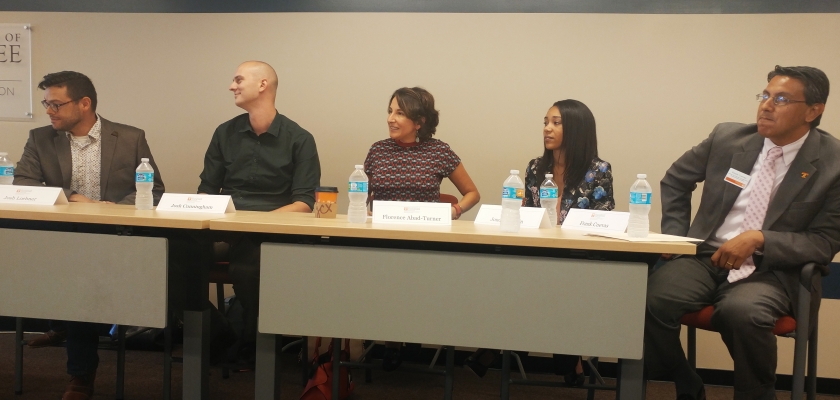
This was the resounding message echoing during the University of Tennessee’s annual Diversity and Inclusion Week. Hosted by the College of Communication and Information, this is the seventh year of bringing students and industry leaders together to discuss the role we play in advancing diversity in the workplace. Josh Loebner, Designsensory’s director of strategy, was invited to participate as a panelist.

Loebner, blind in his left eye and visually impaired in his right, represented the disabled community, along with a panel of other university officials, including: Josh Cunningham, a teaching assistant at UT; Jondra Darden, event coordinator for the Office of Undergraduate Admissions; Frank Cuevas, the assistant vice chancellor for student life and executive director of university housing; and Senior Lecturer Florence Abad-Turner.

The five panelists encouraged students, of minority or majority, to be champions for diversity and inclusion in all areas of life. The session started off by asking students to look internally at their personal challenges and prejudices. Students were asked to hold up ”agree“ and ”disagree“ signs in response to various hot topics concerning diversity in the workplace. Loebner and the other panelists explained that acknowledging these issues is the best way to start, as we (the industry’s present and future) pursue efforts to improve diversity.

As representatives within their minority, panelists also shared personal, unique challenges in getting started in their careers. Darden shared that, as the youngest person on the team at her first job, she had to embrace her role as the ”fresh perspective.“ She was also the first person of color hired by the company.

”It was eye opening,“ she said. ”(It’s important to) make sure you’re choosing a place where you feel welcome and can make your own mark.“

Cunningham, a former firefighter, explained the challenges of being queer and working as a firefighter. Living and working in such close quarters, a firefighter crew has to trust and feel comfortable with each other. Together, he and his crewmates had to make the effort to overcome personal biases.

”Diversity creates the challenge where you have to prove and earn your worth as an equal so that people can overlook what makes you different,“ he said.

The dialog continued to cover many other topics, such aswhat young leaders can prepare for as they enter the workforce. The panel discussed red flags to look for within companies that might struggle to respect diversity.

Cuevas shared that, during one interview, the interviewer disclosed that Cuevas was considered solely on the merit that his Mexican-American heritage would enable the company to meet Affirmative Action expectations. He immediately made the choice to walk away from that opportunity because he recognized the level of respect he would receive moving forward. Following Cuevas’ anecdote, the panelists advised students how to best manage disrespectful comments.

The final topic included the pay gap between women and men. Loebner shared that if you plan on negotiating, it’s important to come prepared.

”Know what you want, know what you bring to the table and know what you deserve,“ he said.

In the wrap-up, the panelists encouraged minority students at the event to, first and foremost, be confident. And, to the majority, Loebner said it can support the minority by being understanding and respectful.

”They must play a role on behalf of the diversity effort,“ he said.  

Alice Wirth, the director of CCI Diversity Student Leaders Society, agreed with Loebner and added:

”(Individuals within the majority) bring the opportunity to be an ally and an influencer.“

Wirth wrapped up the event by reminding us that it’s okay to be uncomfortable, because that’s where the most honest and effective discussions come from. It is the only way our industry will move forward with respect to diversity.


What We’re Reading: October 2016

Posted on by Chris Talbert

We asked three DSers to share what they’ve been reading lately.

Mindy Fawver, Production Designer

I like to, occasionally, revisit the Adweek article about hidden messages in 40 brand logos. You can see and read about popular logos with hidden symbols using negative space, creative typography and modified letters. Some of the messages are obvious once they are pointed out, while others are more subtle. All of these logos are well-designed and memorable. When beginning the research process for a brand system, this article is a helpful and fun place to start.

Michael Pryfogle, Technical Director

I’m pretty active in following the conversations on Reddit. Currently, I’ve been reading the posts on Laravel, PHP and other programming discussions. When I’m wanting to learn even more about Laravel, I check out the video tutorials on Laracasts.

Lindsay Miller, Senior Art Director

I’ve been teaching a branding class at the University of Tennessee, and I’m having the students read Debbie Millman’s How to Think Like a Great Graphic Designer. Each chapter is an interview and covers some of the greatest designers working today. I asked the students to select a random chapter and then present a keynote on the person interviewed in that chapter. While many of the interviewees emphasize the importance of a good concept, all of them share really great nuggets of advice on being a great graphic designer.


The Design Team Is Feeling Brand New

Posted on by Chris Talbert

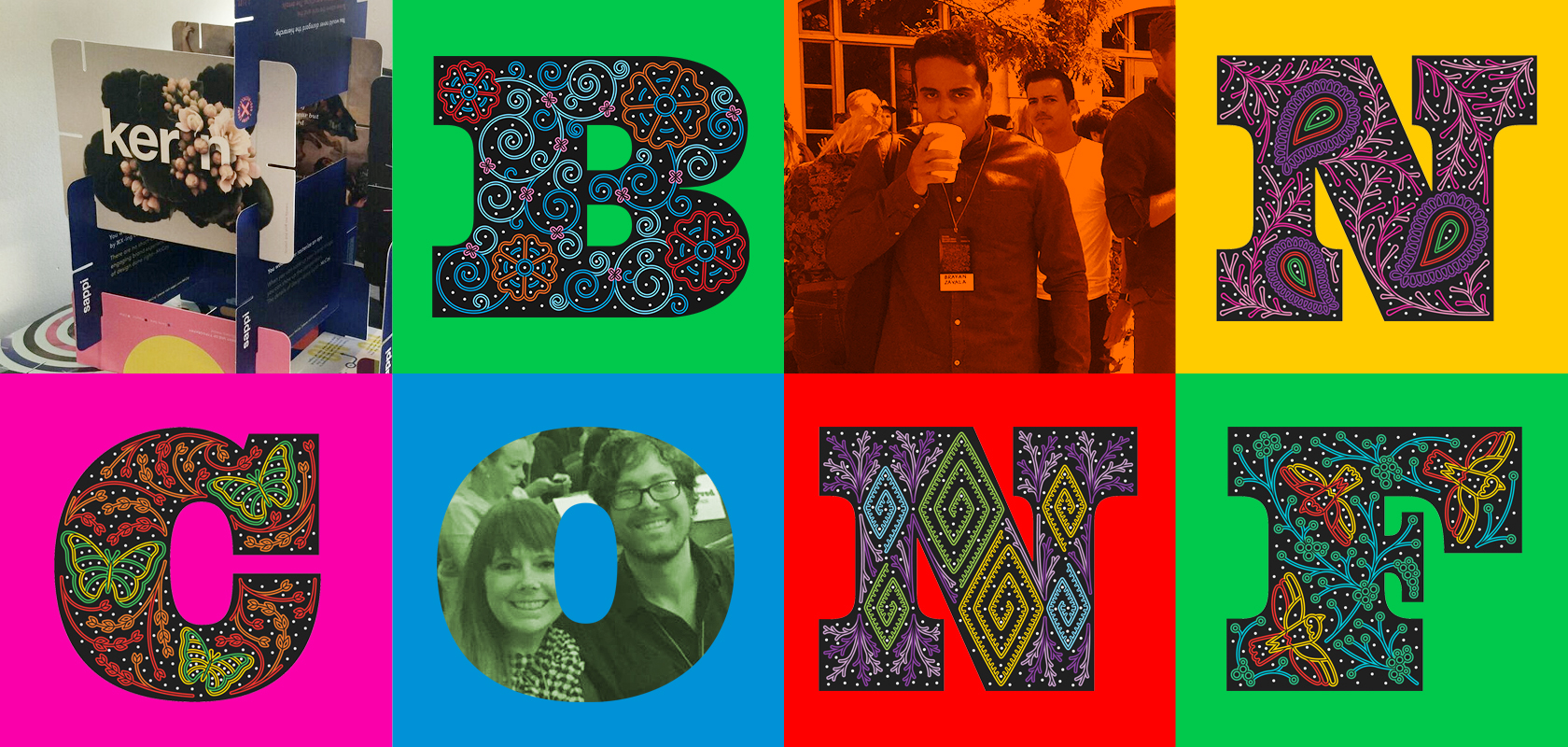
The grand Schermerhorn Symphony Center was brimming with creative talent earlier this month. With Nashville as home to the 2016 Brand New Conference, our design team couldn’t pass up the opportunity to hit the road and brush up on branding.

The conference welcomed some of the profession’s greats—Charles Anderson, Clara Mulligan, Mackey Saturday, Matías Duarte, and many more.

Anderson started the day discussing his love for nostalgic illustrations and imagery, which he channels into his modern designs. He detailed how powerful the client-agency relationship can be. For years, he’s partnered with French Paper company, and the trust he’s gained from owner Jerry French has allowed him to take some great risks with the company’s promotional materials.

Dirk Barnett, the design director on the Global Design Team of NikeWomen, reminded the audience it’s fine to fail. After repeatedly falling on his face when he transitioned to Nike, he advocated not quitting and just keep fighting through the failure on to success.

Mackey Saturday spoke about the search for simplicity in branding. In all his work, he seeks to distill concepts down to the simplest form that a company can still own as its brand’s signifier. His philosophy is that simple: Effective designs can withstand the test of time.

Matías Duarte, head of Material Design at Google, discussed how his team collaborates with the Google creative team to help them solve Google’s branding problems. Rebranding a company as large as Google is no easy task, as they had to come up with a brand system that worked across many platforms, got buy-in from internal employees and had to replace 10,000+ instances of the old logo floating across the web.

And that was just the first day. You can learn more about the conference on its website—where you can already find tickets for next year’s conference—and follow the conversation using #BNCONF on Twitter.

6 Ways to be a Rockstar Employee

Posted on by Chris Talbert

Got a new job? Congratulations! Now that you have won the job, it’s time to be the best employee you can be. Whether it’s your first internship or your fifth job, here are six steps everyone should follow to become a rockstar employee.

1: Make a Great First Impression

Whether you are fresh out of college or a seasoned veteran of the industry, the first day is always nerve-wracking! A sure way to take the edge off those first day jitters is by being prepared—and it’s better to be over prepared than underprepared. Get up early, make yourself a nice breakfast, dress nicely (even in a casual office, it’s best to save your jeans for day two, just in case), bring a notebook and any information requested by human resources.

2: Take Notes

A lot of information will be coming your way your first few weeks on the job, so make sure you write it all down in a format you can reference later. Also, make note of any questions that pop into your head during onboarding meetings that you need to ask later.

Pro tip: Avoid laptop note-taking at first so there’s no question that you’re engaged.

3: Be Positive

Every great employee has a positive attitude, even when the going gets tough or they’re feeling lost. Remember to always keep a positive attitude about your work, your coworkers and your employer. You’d be surprised what a difference a smile and saying good morning to your coworkers will make.

4: Get to Know Your Coworkers

Odds are someone will want to take you to lunch during your first few days on the job, so don’t make lunch plans! Always accept lunch invitations when you’re new to the company and make an effort to engage in conversations and get to know your coworkers. Even better, work up the courage to invite your new coworkers to lunch.

5: Fake It ‘Til You Make It

When you’re drowning in new information, sometimes you’ve just gotta fake it until you make it… to a point. You’ll probably be able to figure out most things if given some time to think and go over your notes. But, if you’re really stuck, don’t be afraid to ask for help! There’s no such thing as a silly question, particularly when you’re new to the job or company.

6: Deliver Awesome Results

In the middle of onboarding and training, you’ll probably receive assignments from your boss. You might be feeling a little overwhelmed. Remember to slow down, take your time and create an awesome product. But don’t put too much pressure on yourself or you might find yourself battling a bout of imposter syndrome. Remember, you were hired because you proved you were the best candidate for the job. Have confidence in yourself and your abilities, because your employer does!

If you’re looking for a new opportunity, Designsensory is hiring! Currently, we are seeking a Public Relations Director and Digital Media Planner/Buyer. Check out our other job openings on our careers page.


Roane Alliance Prepares for Future Growth With New Branding and Websites

Posted on by Chris Talbert

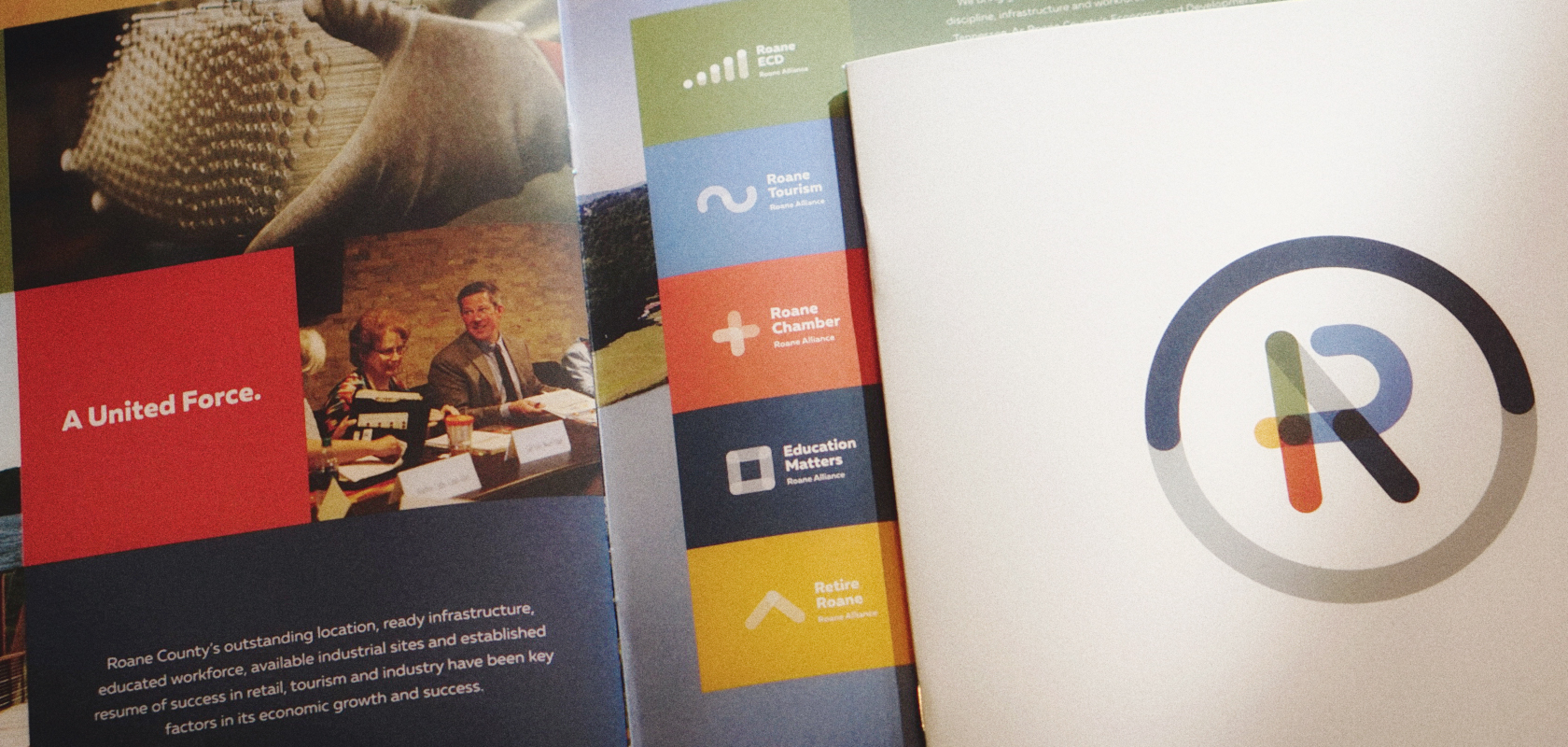
Located just west of Knoxville, Tennessee, and tucked in the high-tech corridor of Knoxville/Oak Ridge Innovation Valley, stands Roane County. The Roane Alliance is Roane County’s economic development organization, and its partners are Roane Tourism, Roane Economic and Community Development (ECD), Education Matters, Retire Roane and Roane Chamber.

While earning a name within and outside East Tennessee and experiencing growth, the county needed a fresh branding initiative. Under the umbrella of the Roane Alliance, Designsensory and the client rolled out:

  • A new parent logo
  • Individual partner and program logos
  • Business cards and letterhead
  • A marketing plan
  • External signage for the Roane Alliance offices
  • Videos for the ECD and Tourism partners
  • Two county-wide photography shoots
  • Corresponding collateral, including: an overview brochure, tourism rack card, one-page information sheets per partner and a trifold presentation folder

Digitally, we developed four brand-new websites using our custom web platform, DSExpress: Roane Alliance, ECD, Education Matters and Tourism, which includes a Retire section.

With a new look and digital experience, the Roane Alliance is poised for even greater growth through its workforce, education, incentives and grants, and quality of life. Among its assets and strengths:

  • Proton Power, the pioneer in renewable energy technology
  • The nation’s top research lab, Oak Ridge National Laboratory
  • Recently opened Manhattan Project National Historical Park
  • Five industrial and business parks
  • Volkswagen’s Southeastern Regional Distribution Center, a $40 million, 459,000-square-foot center, and the world’s only Silver LEED-certified distribution facility
  • Roane County’s natural beauty, stunning Watts Bar Lake, robust recreation, distinct colorful seasons, set against Great Smoky Mountains National Park
  • Five unique, historic towns—Harriman, Kingston, Rockwood, Oliver Springs and Oak Ridge. These towns provide a community that celebrates true Southern hospitality, history, heritage and a low cost of living, all while being within close proximity of a large metropolitan area

Aside from the new brand, collateral and websites, we recently provided updated tourism concepts to the Roane County team–and, yes, they chose a lucky winner. We look forward to implementing this exciting concept in upcoming, integrated projects with them.