Category: Articles 🔎

Facebook Fallout: Your New Social Media Strategy for 2018

Posted on by Chris Talbert

Early this year, Facebook announced a major retooling of it’s algorithm to promote “friends and family first.” If you’re a brand strategist, audience engagement or communications specialist, or digital marketer, you’ve likely already seen the countless news articles by every publisher from Digiday to Bloomberg discussing the implications—limited organic reach, fewer clicks, less engagement. But what’s your plan of action if you’re a small brand or business? We take a look at what recourse your brand should be taking.

Don’t Panic

Before we dive too far into this, I’ll simply say this: don’t panic. This isn’t the first time Facebook has made seismic changes to it’s algorithm. At the end of 2016, we saw Facebook abandon its chronological timeline and Instagram doing the same soon thereafter, and brands were immediately limited to around 52% of their average reach. While we expect another dip in organic reach, it isn’t scaring us away from the platform.

The Need for Diversification

This word comes up often in quotes from major publishers when asked for their thoughts on the algorithm change. Everyone is placing a larger focus on “diversification.” If you’re currently putting all of your eggs in the Facebook basket, then you’ve got some changes to make.

Brands need to be actively building communities on different platforms; Facebook, YouTube, Instagram and Twitter are the powerhouses but aren’t the only options. Depending on your brand, audience and content you may want to explore the secondary platforms like Snapchat and Pinterest or non-traditional platforms like Houzz, Medium and Spotify. Now also seems like a good time to say we expect Instagram to deprioritize brand content in the near future as well.

Additionally, the immediate responses by some brands has been to build Facebook Groups to continue to reach their communities. However, Facebook has said that these changes will extend beyond the News Feed into all of its offerings—meaning Groups will be subject to the same level of content scrutiny as well.

How Your Page Will be Affected

In a recent news release, Facebook spelled out what Pages would be effected and what content types would reach the most people:

Pages making posts that people generally don’t react to or comment on could see the biggest decreases in distribution. Pages whose posts prompt conversations between friends will see less of an effect.”

In response to the question “What type of Page posts will show higher in News Feed?”, it continues:

“Page posts that generate conversation between people will show higher in News Feed. For example, live videos often lead to discussion among viewers on Facebook – in fact, live videos on average get six times as many interactions as regular videos. Many creators who post videos on Facebook prompt discussion among their followers, as do posts from celebrities. In Groups, people often interact around public content. Local businesses connect with their communities by posting relevant updates and creating events. And news can help start conversations on important issues.”

Essentially, we’re boiling this down to three considerations: 1) Revise your posting frequency and content to focus on quality over quantity, 2) Facebook is forcing your hand at adopting and effectively implementing its unique offerings—Live, Messenger Chat Bots, 3) News (and links in general) will be deprioritized unless it sparks a conversation.

News No More

Facebook seems to be saying it doesn’t want to be your primary news source anymore, unlike Twitter. If you take a look on the Apple App Store, you’ll actually see that Twitter has reclassified itself as a “News” app, where Facebook and the other usual suspects are listed as “Social Networking.” As a matter of fact, Facebook rejects that it’s a media company.

I bring this up to illustrate the point that, while you can bring your news to Facebook a la the standard link post, I anticipate this will become an under-performing content type soon. I know this hurts from a website traffic standpoint, but reserve link sharing for content you know will create a conversation. Sharing too many links, unless they generate a high level of engagement, will likely hurt how your Page posts are shown over time. Also take into consideration that news outlets (possibly extending to blogs or entire domains) will be ranked by trustworthiness in the future.

Alternatively, want to share news and links? Take it to Twitter.

Long Live Longform

There’s a reason Vine isn’t around any more. Short video content is difficult to monetize. Watch any major YouTube creator and you’ll certainly notice this one thing—all of their videos are roughly 10 minutes. The YouTube algorithm, where Facebook prioritizes engagement, places watch time front and center. With the development of Facebook Watch last year, we anticipate Facebook will continue to try and usurp YouTube on this front as well. While the benefit of the Watch page isn’t available to everyone off the bat, you can explore what’s currently out there, post your own longform videos and finetune your work. You can read more about Show Page, the content that feeds into Facebook Watch here.

But short form isn’t dead, “passive viewing” is. Our assumption is that Facebook wants to clean house of low-quality videos. Now, we don’t know what that looks like just yet, or what is classified as “premium” content, but this Business Insider article on the topic sheds some light through conversations with major publishers:

“Facebook has suggested it will reward intentional content viewing and de-prioritize accidental or passive consumption on its feed,” said Matthew Segal, a founder of the social-news startup ATTN. “This is good news for publishers who meticulously produce video with a goal of reaching a specific, passionate audience. Publishers who tend to trick their audience into viewing content with video GIFs or animal reactions will probably take a hit.”

Basically, gone are the days of the 13 million view BuzzFeed GIF memes.

Community Managers are More Important Now Than Ever

In a time where positive interactions online with your brand are now the key to consumers, why would you not begin or continue to invest in someone who can digitally represent your brand through content creation, community engagement and all of the accompanying social media maintenance?

What’s Next?

Let’s face it, you might be a business or Page that doesn’t spark a significant amount of conversation. What do you do with your Facebook Page? I’d recommend three simple things: Reduce your posting frequency and only post your best content, optimize you Page to serve as a customer service tool, and invest in other platforms.

If you’re a media buyer, it’s time to master Facebook ads. I expect the space to get much more competitive—driving up the cost—and becoming a vital part of reaching people on Facebook in this new era.

TL;DR Takeaways:

  • Think of this algorithm change as the “Engagement Shift.” Facebook now strongly prioritizes content that engages. You must create content that engages and engage with your community—don’t leave your community manager in the dust.
  • Build your community on other platforms.
  • Video isn’t going away, but you do need to perfect your approach. Find what resonates with your audience. Continue to explore rich content: Live video, Photos, 360/VR, etc.
  • Since Facebook is attempting to transition to longform video content (10–30 minutes), it’s best to begin exploring this now.
  • Link posts will continue to fall from Facebook’s favor. Reserve sharing all of your (or other’s) news on Facebook and save it for Twitter.


Voice of the American Fan: The Impact of Youth Sports

Posted on by Chris Talbert

Our marketing intelligence arm, Lancaster Research, has deep proficiencies in sports insights—one of it’s primary offerings is FansVoice. FansVoice gathers data on the fan experience through interactive technology and traditional research. We’re proud to announce that through this experience, Lancaster Research will now be releasing an annual detailed analysis and report, Voice of the American Fan, detailing what it means to be a fan and how to best engage this audience. Here’s a dive into the one topic contained within the report.

Youth Sports Participation Proves to have Positive and Long-standing Effects – For the Youth and for Business

Sports are known for their ability to entertain and provide an unparalleled experience for fans, but they also provide extensive physical, mental and emotional benefits for the participant—especially younger participants. Youth have a natural tendency to enjoy games, competitions and social environments. These tendencies aid in their development of mental and social skills, which can have lifelong positive effects. Due to this positive impact, it’s easy to make the case that youth sports participation and support is equally beneficial for businesses and marketers, and, ultimately, the local community. Through supporting youth sports, business creates goodwill and builds brand loyalty.   

The National Institute of Health (NIH) highlights several benefits that occur as a result of youth sports participation, most notably physical health. Unfortunately, the obesity epidemic continues to rage across the U.S., accelerated by adolescents’ increased inactivity due to passive hobbies such as social media, video games and television. In fact, nearly 32% of children are considered to be obese as of 2016, and childhood obesity is known to be a successful predictor of adult obesity. Fortunately, organized sports are known to counteract these tendencies. Sports participation encourages caloric expenditure and decreased unnecessary snacking that is often correlated with a sedentary lifestyle. In fact, sports participation is further correlated with physical health because those who play sports are more likely to consume healthy foods like fruits and vegetables. By encouraging children and young adults to participate in recess games and various sports from a young age, they are more likely to avoid obesity and other ailments in the future—including heart disease, diabetes, osteoporosis and breast cancer—while increasing efficiency of the immune, heart and endocrine systems. Moreover, adolescents who play sports are less likely to engage in harmful acts such as smoking or drug-taking, which can lead to long-term illnesses.

In addition to physical health, sports participation can foster mental health. In fact, the Center for Disease Control (CDC) discovered that sports participation can reduce feelings of hopelessness, suicidal tendencies, anxiety and stress. This results from the effects of fellowship and teamwork that takes place in sports. Academic achievement is also known to increase in children who participate in sports because friendly competition during these games provides a setting for learning and trial-and-error opportunities. Multiple studies have revealed that extracurricular activities, including sports, aid in brain development that can improve a child’s time management, goal setting, non-verbal and social intelligence skills. Encouraging children to participate in sports and games during recess increases creativity and critical thinking skills differently than tactics designed for the classroom. By using both elements of learning techniques, a child is more likely to set challenging goals and strive for achievement as he or she continues to grow.

The social benefits children and adolescents gain from participating in sports are extensive. Team sports specifically encourage companionship, teamwork and team success. Participants learn how to appreciate the skills of their peers while discovering their own skills that are valuable to achieve a team goal. Additionally, the social interaction that children and adolescents experience during sports participation as they learn about inclusion and teamwork has a positive impact on their ability to cooperate with others later in life.

We highlight these three benefits—physical, mental, and social—to illustrate that youth benefit greatly from sports, and FansVoice has found that adoption of sports at young age can lead to lifelong fandom. A sampling of self-described “Die-Hard Sports Fans” (DSHF) found that 52% of them began following a given sport under the age of 10 years old. Furthermore, there is a positive correlation between level of interest in sports and currently playing a sport, and the DHSF are most likely to do so. In fact, 59% of DHSF currently play a sport.

Sports organizations, from local to professional, that leave a lasting, positive impact on people at a young age have a significant chance of creating lifelong fandom and brand loyalty. Ideally, creating these lifelong fans also increases the lifetime value and profitability of that fan. DHSFs are unquestionably a key segment for any sports organization. It is important that these effects are consistently communicated by businesses and marketers. Clearly, supporting youth sports activities is good business.


Inbound Marketing: The Road to Trust

Posted on by Chris Talbert

Typically, marketing and sales departments use a lot of traditional and digital means to reach audiences, but they miss out on important opportunities available through inbound marketing. If you don’t know the specifics of inbound marketing, or more importantly its value, know that there are effective tactics for generating leads and converting them to brand evangelists for you via this method. Here’s a quick tutorial.

Inbound 101
Inbound refers to the incoming traffic your brand is getting or wants to get. It’s customer-centric, as opposed to traditional/interruptive marketing, so you must create content that users want and need. No shade to traditional, but inbound works more efficiently for those who want to build trust with customers. An inbound methodology educates consumers in a way that makes them see their need for your product or service according to these phases: attract, convert, close and delight. Lets explore these.

Attract
Everyone knows the significance of identifying audiences and buyer personas. So, let’s skip to the meat. Know your ideal buyer, target them, help them, buy them ice cream … you get the picture. Turn these strangers into friends by providing engaging content. Like what, you ask? Blogs, whitepapers, social media and other educational content that creates awareness.

Convert
You’ve created awareness, and the prospect is nearly ready to take the plunge. What’s next? Create a place where visitors become qualified leads, such as a landing page. Once visitors know their problem, they look for a solution. You have an answer, so make an exchange—give them a clear call to action in exchange for their email address. Don’t forget a thank-you page to help foster that close connection. Build up some digital real estate! But I digress.

Close
If the landing page is optimized and beautiful, you potentially gain a qualified lead that you can nurture via email. Double check that the leads you garner are the right fit for you as a company, and then send them a personalized note. If you have an email newsletter, make sure it’s full of content that eases their pain points. Be human-centered. You can always throw in a free product demo or case study that applies to them if you are unsure of relevant content.

Delight
You’ve made it. They are a customer. Don’t stop here. Be innovative, communicative and educational. Continue to learn from them in order to provide a better customer experience. This is a great time to evaluate and empower your employees as well—the face and backbone of your business needs to be solid and happy. After that, conduct surveys, analyze feedback and follow up with the customer.

None of this can happen without great content. If you need some more details, I’m here to help. Just remember the content Golden Rule—focus 80% of content on persona’s interest, and 20% on your own interests and sales-related materials. Don’t let all of this marketing speak take away from creativity and intuition, but use it as a guideline to smart marketing. Good luck!


10 Quick Tips for Social Media Managers

Posted on by Chris Talbert

This blog post isn’t a discussion of a grand new strategy that’s going to alter the course of your social media content calendar for the fifth time in a year. This is about the small things in day-to-day social media management to make your life easier.

We’ve already discussed content creation tools, choosing the right platform, tips for better paid social campaigns and everything Facebook, from Live to myths. Often, I need to find creative workarounds to accomplish tasks that aren’t built-in features of social media platforms or might just be a little hidden.

While none of these are secrets, these are ten tiny tips that have made my life easier as someone who manages multiple Facebook, Instagram and Twitter accounts on the daily.

  1. Find the Permalink to a Facebook Post: Hover over the timestamp on any Facebook Post until you see the underline. Right click and choose “Save Link Address.”This link that you’ve copied directs to a dedicated page for the post outside of the Theatre presentation and simplifies planning, reporting and…

  2. Use the Permalink to Schedule a Facebook Post: A permalink is also wonderful for sharing and scheduling. Paste the link into the status bar on your Page and it will allow you to opt for the “Schedule” option as opposed to being limited to “Post” when using the “Share” button.

  3. Test Your Facebook Link with Dev Tools: Still pasting a link into the status bar and crossing your fingers a link preview will generate? Fear no more. While not always intuitive to social media managers, Facebook has extremely helpful developer tools that can help you, too. Among these are Sharing Debugger. Paste the link to the web page you’re sharing to see if a link preview will generate when shared and if there are any issues. At Designsensory, we ensure websites are optimized for social media—this includes designing and developing for any shared page on site to generate a big, beautiful link preview. However, I often face this problem when aggregating community news for brand accounts I manage. Before leading a crusade against “fake news,” Facebook would allow users to add their own image to a link preview so even if it failed to generate, Page managers could still make their content visually compelling. That time is long gone and your website needs to be optimized for social media.

  4. Oh, You Can Test Your Links on Twitter Too: And of course, the same tool exists for Twitter. It’s called the Twitter Card Validator.

  5. Find Literally Anything On Twitter: I don’t recall what lead me to Twitter Advanced Search because it doesn’t seem be listed anywhere on the desktop site or in the primarily mobile app. However, the tool lets you search for tweets using boolean search terms and cross reference the terms against accounts, conversations, places and dates. Entire campaigns can be created using this tool. A staple in the news and media publisher world, this tool can also be used to considerably plus your interaction with specific communities.

  6. Yes, You Can Contact Facebook: Ever felt lost and hopeless with a specific issue and found yourself exploring endless unresolved threads in the Facebook Help Center? Well, the bright side is if it’s specific to advertising, you can chat with the Facebook Support Team.

  7. Download an Instagram Photo: We recommend a number of our clients take a curation and community approach to content, which lends itself to needing a lot of user generated content (with proper credit always given). I personally dislike the watermark from third party apps when trying to quickly repost on Instagram. To download a photo from desktop, you can use various third party websites, extensions for Google Chrome like Downloader for Instagram™ or by inspecting the elements of the photo post and searching for .jpg on Instagram.

Now, time to stray a little off course. But these are the tips that have changed my entire workflow for the better, and I’d be remiss if I didn’t add them to this list. 

  1. Dropbox is Your Best Friend on Instagram: I’ve recently needed to post hyper-consistently to Instagram Stories daily for a social campaign. Exporting studio-produced video from Final Cut Pro directly to my Dropbox in .m4v (I’m an iPhone user) and then downloading it to my phone when I need it has been a lifesaver in terms of storage and ease. Additionally, Dropbox has also helped us to aggregate high quality photos and works from multiple photographers, videographers, and designers here in the office that are ready to be posted to Instagram in one convenient place.

  2. Get a Password Manager: Whether you’re at an agency or in-house, one brand alone could have a dozen passwords you not only need to remember but also protect. Don’t fool around, get a password manager.

  3. Find the Right Social Media Platform: While nearly every social media management platform, from Hootsuite to Buffer, has its selling points and issues, we constantly reevaluate our social media platforms to find which is best suited for our current needs. At the moment, we’re using a stripped-down platform called GAIN that only focuses on content publishing. We chose it because it has a nice visualization of the content calendar (for those sweet, sweet pitch decks and reports) and a solid approval process for both internal and client review.

Want to walk through any specific issues your having from planning to reporting with social media? We’re happy to help. Just give us a shout.


The Case for Custom Lettering

Posted on by Chris Talbert

In an age where type foundries and independent typographers are creating more high-quality fonts than ever before, it seems like every typeface we could ever need has already been created. With so many options at our fingertips, it is easy to assume that there isn’t much of a place for custom type anymore. However, there are times when pre-existing fonts miss the mark, and a more tailored solution is needed.

At Designsensory, we love custom lettering because:

It’s timeless.
From the beloved Coca-Cola logo to some of our newer brands (Hello, PopFizz!), hand-rendered type is an art. When it is done beautifully, it can stand the test of time to represent an unchanging promise in a changing world. As type styles ebb and flow, there’s something relatable that still stands about type that is hand-drawn.

By changing its color, Pop Fizz’s logo can have a variety of looks—while the letters themselves are unchanging.


It’s custom.
Typographers make typefaces that are supposed to be used for a variety of projects. By nature, their letterforms have to hold up, regardless of the order in which someone types them. Although there are accommodations, like glyphs and ligatures, that can give alternate styles of letters, they still can come up short because the fonts still have to work within such a tight system. With type drawn by hand, we can avoid some of those problems by writing just the letters we need, allowing them to be a lot more free-flowing than generic letters.

Soak in Roane’s logo allows for the “OA” to be larger, while still keeping the stroke width in scale. Because we knew the letters we needed, we could make the logo centered around using the letterforms themselves.


It shows personality.
Your brand can cut through the clutter when it has its own je ne sais quoi that gives it its distinct appeal. In a digital age, it’s refreshing to have something that feels human and personal. Whether hand-lettering has wobbly letterforms, uses uneven strokes, or is perfectly-drawn, these subtleties can say more about the nuance in a brand’s personality than a typographer who made a font without your company in mind.

In a collaboration with Jon Contino, the Tennessee Vacation Guide has soulful type, with a musical flair.


It’s unique.
Remember when Lobster hit? It seemed like a cute, cursive font that could be a good tool to keep in our collective back pocket. However, its massive overuse made it kitschy far too quickly for it to ever become a staple. Unfortunately, every font out there is prone to this kind of overuse, and often the best way to protect your brand is to go for something a little more out of the ordinary, a little more unique and a whole lot more lovable.

Boo at the Zoo logo

As it turns out, there weren’t spooky enough typefaces for us to use for Boo At The Zoo’s logo so we took it upon ourselves to make the scariest logo ever with hand-rendered type.


Sometimes premade type is the right solution for a brand or a project, but for those times when readymade typefaces aren’t the answer, hand-rendered type can still save the day, just as it always has … and just like Designsensory. We always love a shameless plug, so hit us up for some jazzy, handmade typefaces!


eCommerce: Who Wears it Best?

Posted on by Chris Talbert

Who doesn’t love online shopping? It’s quick and convenient. It can be done from the comfort of your own home—in your pajamas with a warm cup of coffee. However, online shopping is more than just a consumer luxury. Sites with eCommerce are a bear necessity for businesses these days.

What makes a good eCommerce website? Design.

A great deal of planning and effort goes into getting an eCommerce site up-and-running—and keeping it that way. For inspiration, here are three examples of great eCommerce websites.

Polaroid Originals
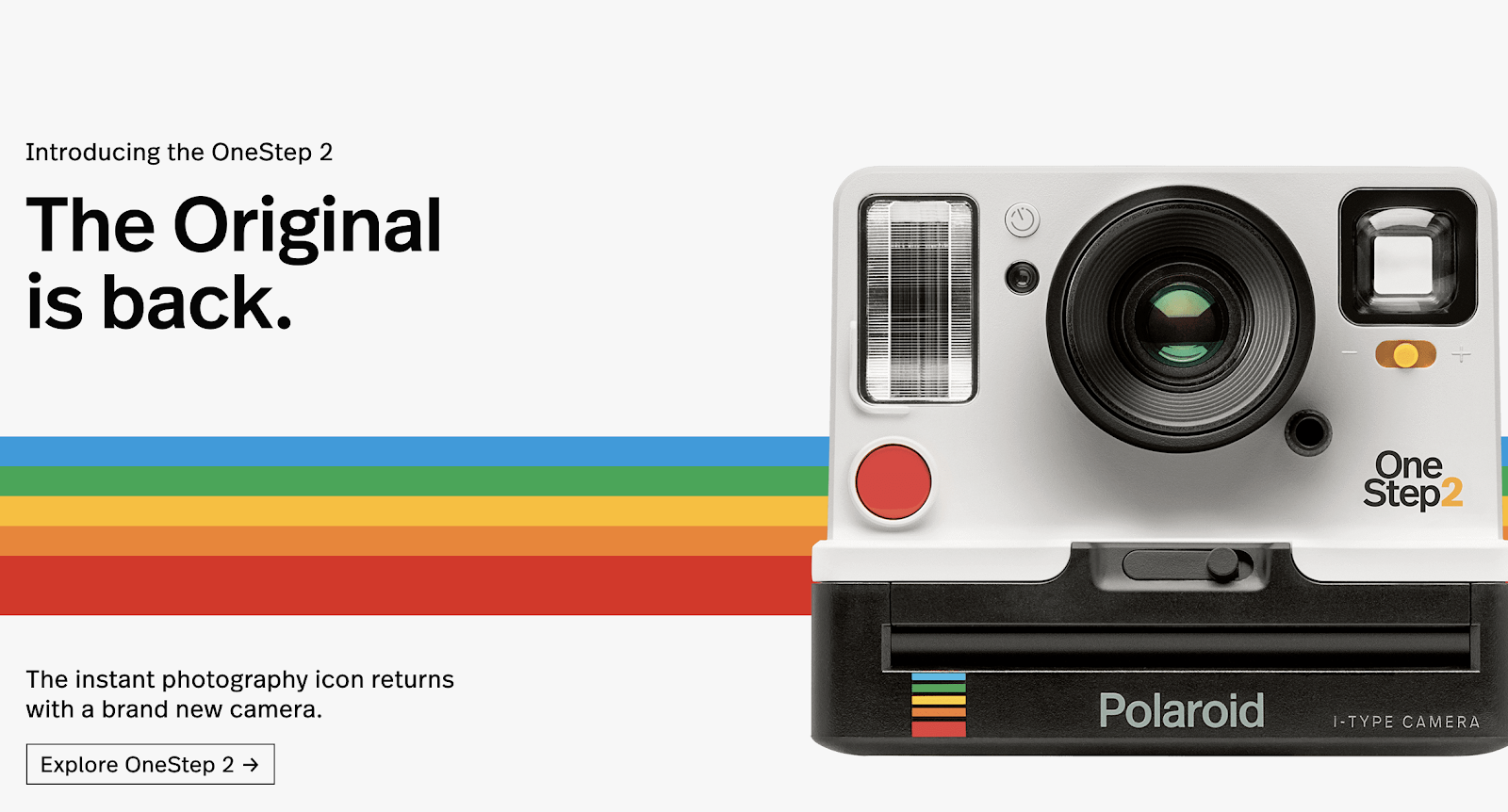
Polaroid is bringing back its iconic, instant photo cameras. This new product line is showcased on a well-designed and simple microsite, “Polaroid Original.” It’s a great example of an optimized, efficient eCommerce site. On the homepage, consumers are greeted with a one-click order option for the new OneStep 2 camera.

Polaroid Homepage.png


The look of this website is “picture-perfect” (I had to).

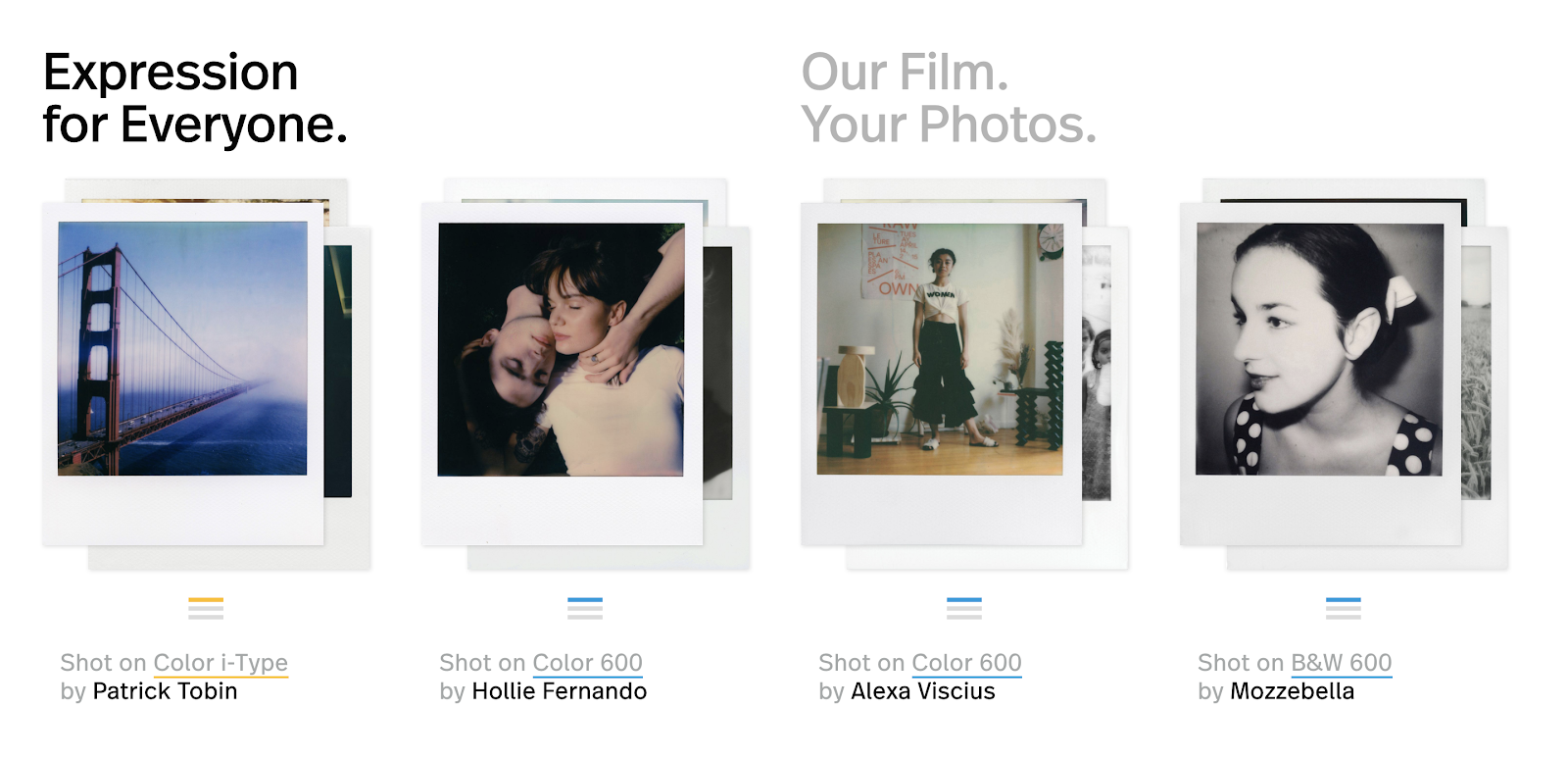
You can see that their team put a lot of thought into this layout, as most images and links resemble a Polaroid photo—even offering a curated collection of user submitted photos.


Polaroid Customers.png

Can’t decide what to order? Just a fan of the brand? Polaroid highlights its camera users through brand news, interviews and an owned magazine. This website tells a story.

Milk Makeup
This makeup brand beautifully blends modern design with vintage aesthetics. From its 70s typography, 80s and 90s fashion, and early 2000s scrolling text, this multi-generation inspiration culminates in an effective eCommerce site. (Yeah, we just jumped four decades).

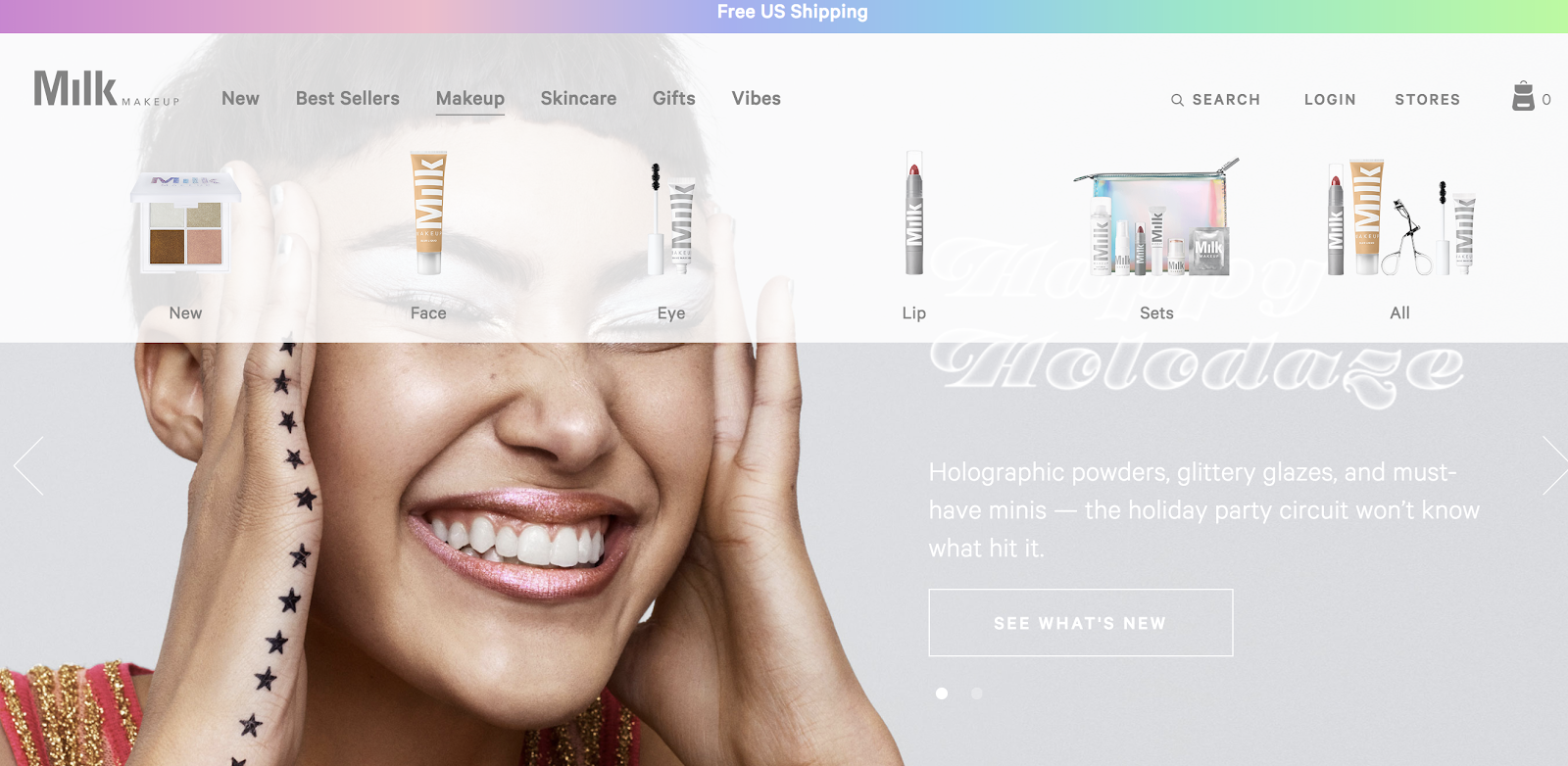
The Milk Makeup designers use photos throughout the site that showcase new collections, seasonal offerings and written blog posts. The drop-down menu at the top of the page includes actual images of the product. This makes it easier for the consumer to know exactly what they’re looking for and what they’re getting.


Milk Makeup Drop Down.png


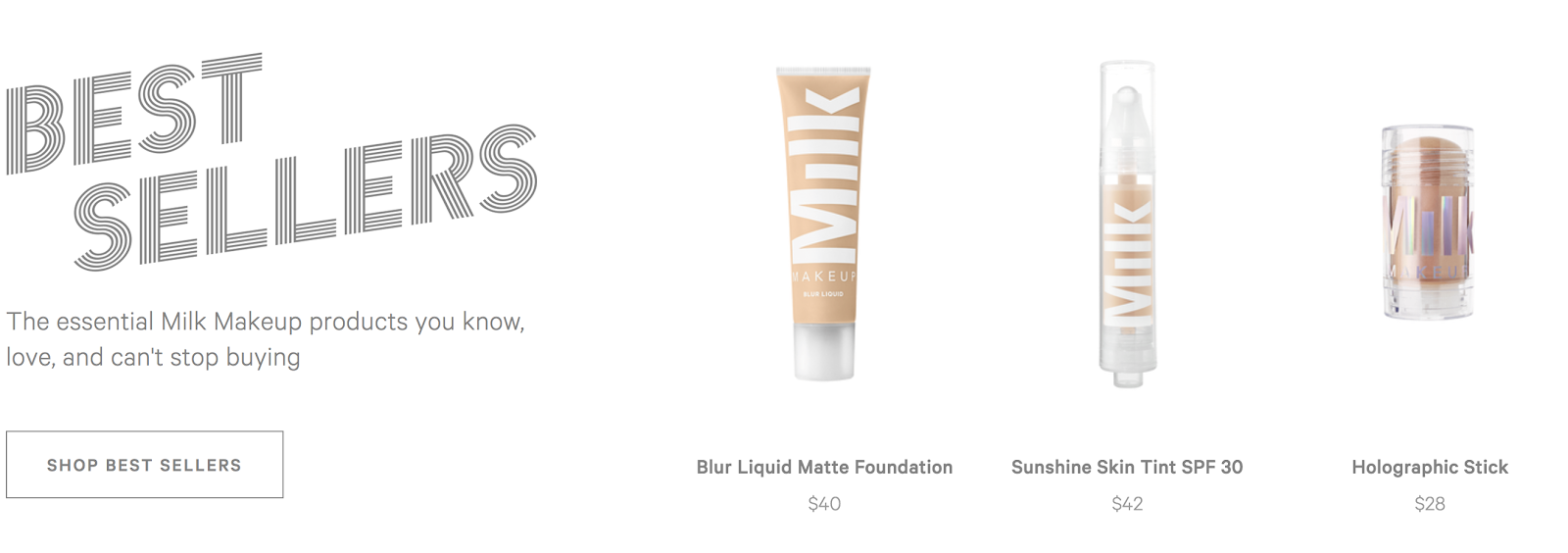
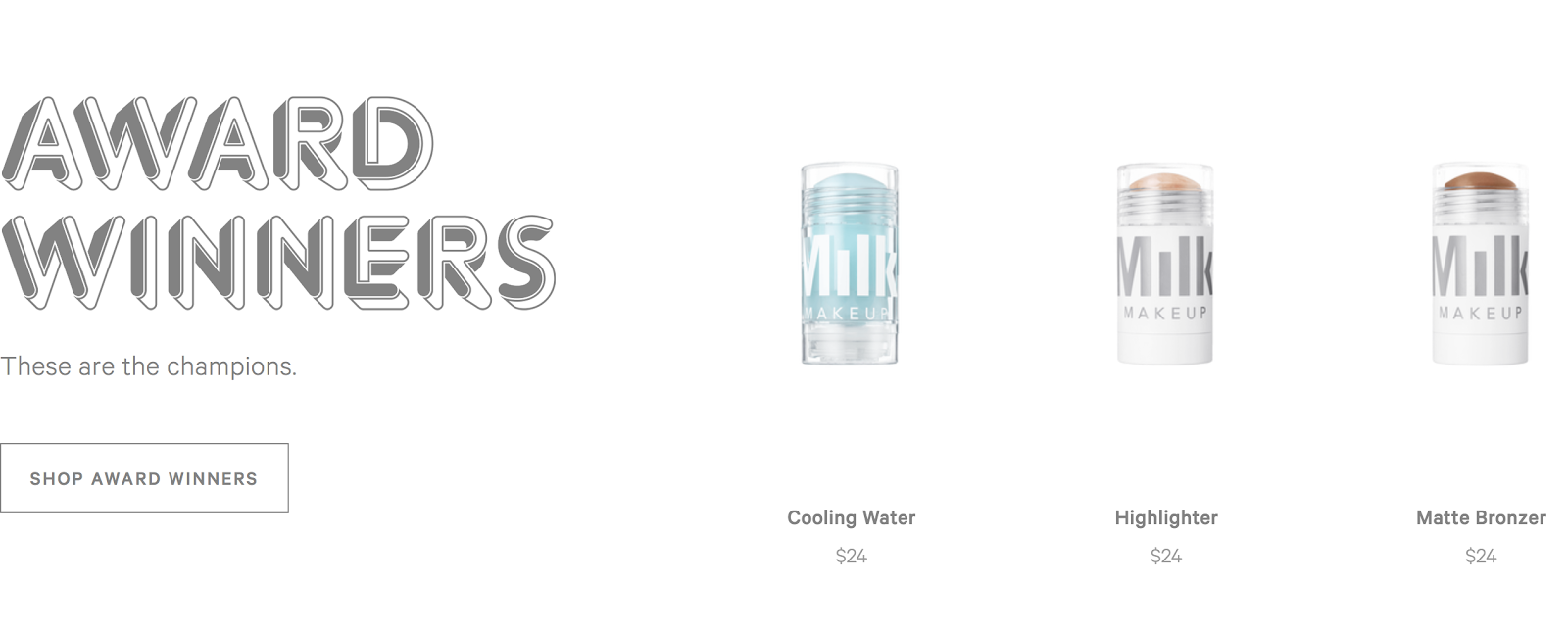
Like the Polaroid website, one-click products fill the page. Milk Makeup uses searchable categories and collections for their products. For instance, “best sellers” and “award winners.” This hits both the design and accessibility or ease-of-use requirements.  


best sellers.png
award winners.png

Again, beyond the simple (and user-friendly) purchasing tools, this website has multiple pages for helpful hints, FAQs and more. Throughout the website, the makeup retailer stays on brand with bright colors and scrolling text, making for an overall aesthetically pleasing website, albeit in a retro fashion. A little digital makeup, if you will.

CamelBak
With its easy accessibility, CamelBak is a great website for eCommerce. 

Screen Shot 2017-11-14 at 1.25.15 PM.png

On CamelBak’s website, visitors are greeted by high-impact imagery and an engaging parallax effect—a big, big word meaning “blocking” while scrolling. Quickly following this header are the adventure drinkware company’s top selling products, from packs to bottles and more.

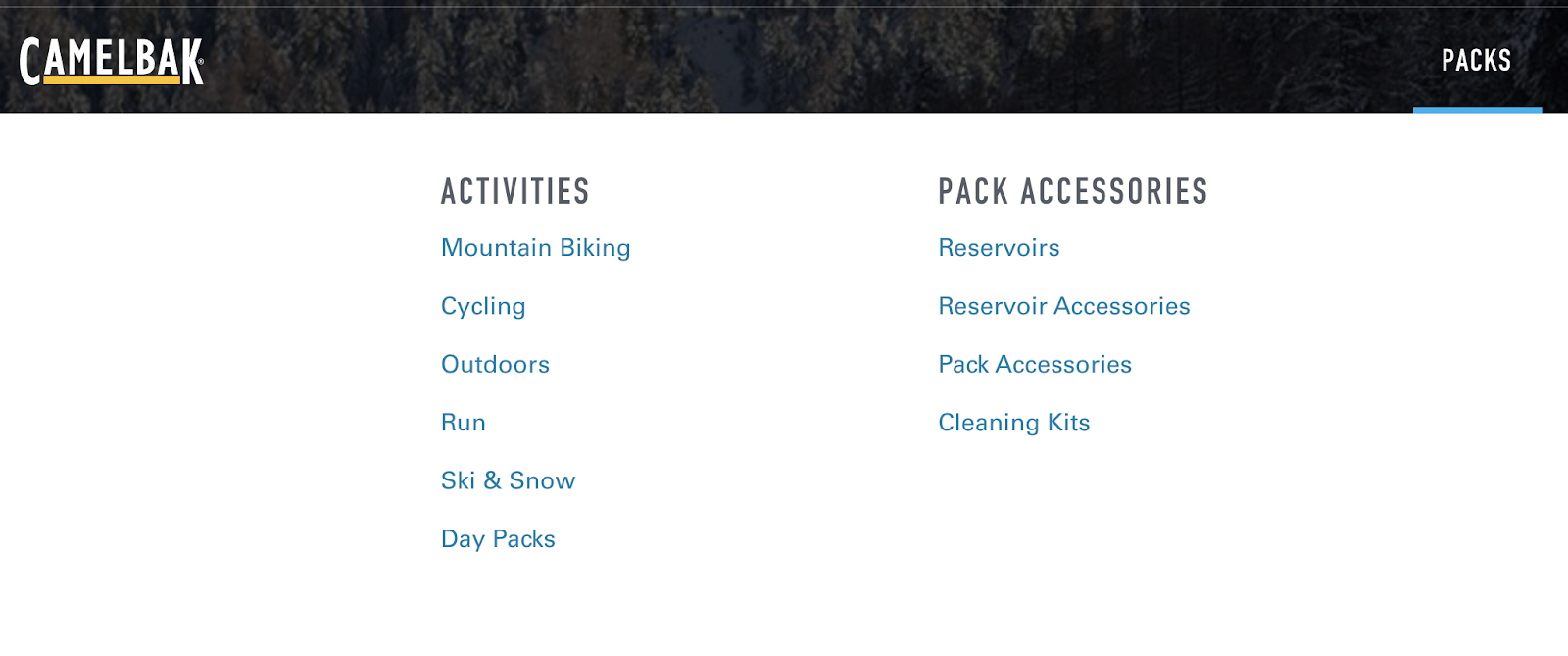
The top of the page allows for quick navigation. Are you looking to buy a blue backpack specifically for mountain biking? Do you know your budget? The drop-down menu at the top of their page will take you right where you need to be.

Screen Shot 2017-11-14 at 1.25.42 PM.png

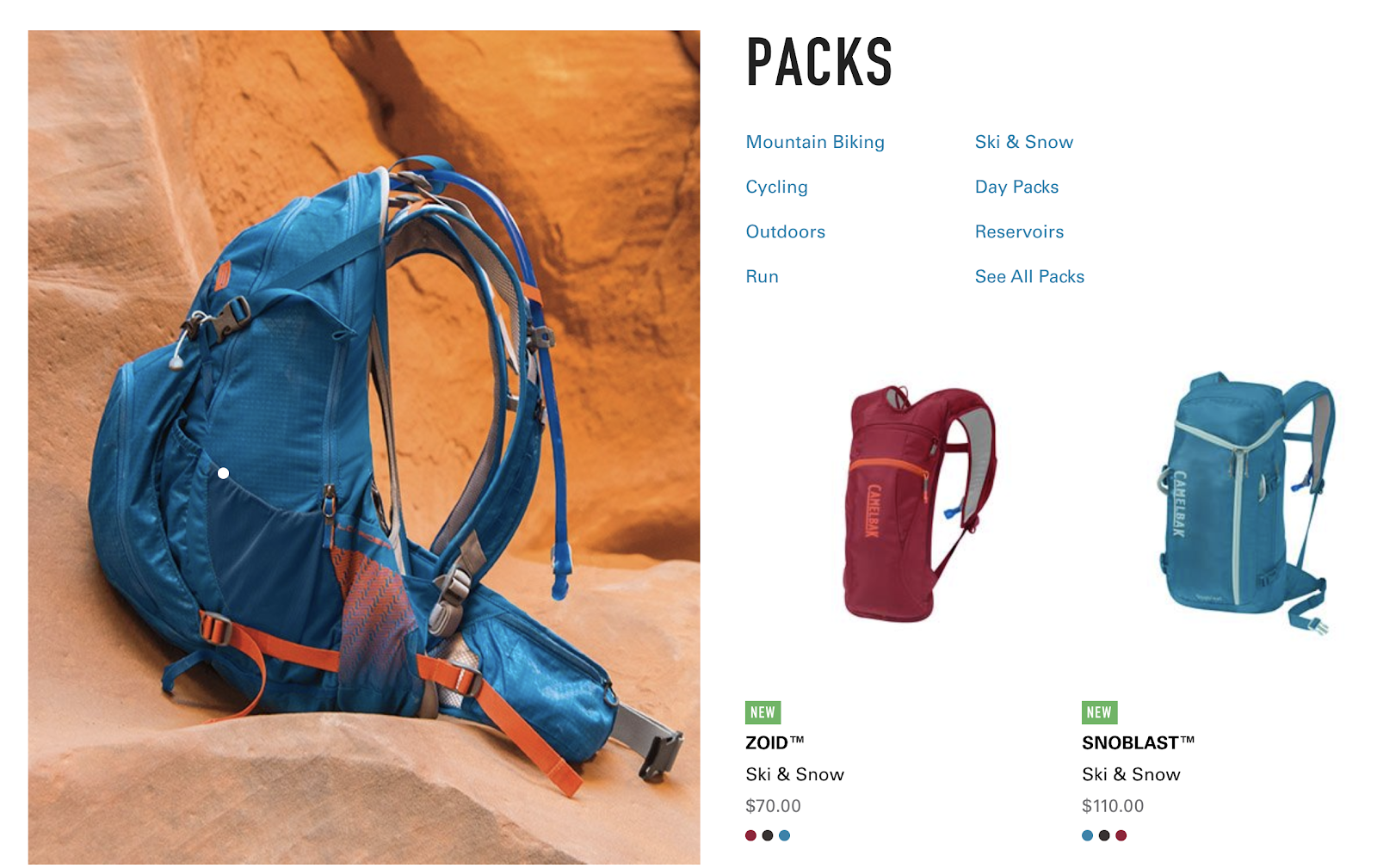
If you know that you want a backpack, but you aren’t sure what color or price, just scroll down the page. You can research each bag style and its purpose.

Screen Shot 2017-11-14 at 1.26.02 PM.png

The website design is eye-catching. They use photos of beautiful scenery to showcase the product. Finally, at the bottom of each page, the brand pulls its Instagram feed where it regularly shares user-generated content in an effort to community build. #backpacksareback

While companies like Polaroid Originals, Milk Makeup and CamelBak work to find new ways to grow and improve their eCommerce, you can place your order—and have a second cup of joe at the same time.

Need some help building a strong website for eCommerce? Contact us.


Media Monitoring: What Is It And Why Do We Do It?

Posted on by Chris Talbert

Monitoring the media is crucial for understanding the impact that your company (or client) has on the public. While there are many PR softwares available to help monitor the media, Designsensory uses Cision to track what the public is saying about our clients.

So what exactly is a media monitoring service?

Media monitoring services have many uses. They provide businesses with media content that is relevant to them.

This resource allows us to browse articles about our clients, find information about media outlets, build media contact lists and more.

What do we monitor?

The term “media” comes in many forms. Print media includes newspapers and magazines; broadcast media refers to television and radio; and digital media includes news sites, blogs and social media.

Powerful monitoring tracks this media coverage. As PR professionals, we want to know when our clients’ names show up! Cision helps us keep track of each news article, post or blog in which they’re mentioned.

We also want to know that we’re distributing news content to the right places. Cision provides access to journalist profiles that include contact information, professional social media accounts, past stories, etc. This helps us to filter between the types of content that each journalist (or outlet) focuses on—so we can avoid sending a press release about the zoo to a court reporter.

Why is this important?

When we use Cision, we can see how our clients are referenced on the aforementioned media platforms. What is the tone? Are the posts and articles positive? Are they negative? What worked and what didn’t? Is it accurate? What should we change to ensure that our client is getting their desired point across? What demographic are our clients reaching? Are we sending our news releases to the right people?

The list goes on and on. It’s important that we at DS are advocating, staying informed and keeping up with the Joneses. So, with that in mind, consider a platform that works for your specific needs, and let us know how we can help! Press on.

Our Sketchy Friend: 4 Ways Sketch Improves the Design Process

Posted on by Chris Talbert

Not too long ago, we used to carry around bulky cameras, video cameras, audio recorders, calculators and photo albums. Now, we’ve got the iPhone, a device that’s adept enough that we can leave all of that gear at home, letting us travel lighter. If we needed to solve the double-integral of a function, we would still have to get the result on a graphing calculator, but for most day-to-day tasks, the iPhone is sufficient. Luckily, the design team has been using a program named Sketch that does the same thing: it streamlines building for web without the extra weight.

So, what is Sketch?

If you’re an Adobe fan, it’s the master pages of InDesign, the artboards of Illustrator and the pixel-perfection of Photoshop. More simply, it’s a program that’s reshaping the digital design community, allowing designers to create, iterate and prototype at breakneck speeds without having to start at square one after every iteration. It takes the high points of the Adobe products and combines them into a web-centric platform—without lugging along some of the more complex features. (And when you do need those, they’ll be right around the corner, embracing you with open arms).

What does it have to offer?

  1. Have your cake and eat it too! Different “pages” mean that you can have different layers of different artboards, so you can keep old versions and still overwrite copies. This allows us to create wireframes, keep them and skin the design, while keeping everything neatly bundled in a single Sketch file.
  2. Never miss a beat with symbols. Say you’re making a footer for every webpage you design—you copy-paste it on every page, and you realize you made a typo. In Photoshop, this could take several minutes to fix every instance of the typo. In Sketch, instead of fixing where it says “Fcaebook” on every footer (and kicking yourself for not proof-reading more carefully), you only fix it once, and it’ll auto-update in every footer since they’re all copies of the same symbol. If that sounds too good to be true, ride alongside us in the Sketch bandwagon.
  3. Take your font for a test-drive. Another key feature is type styles, where you can create categories of type, like a H1 Header, and those H1s can auto-update as well. If you’re trying to find the right font for your site, this is an easy way to test-drive the styles without having to overhaul everything and meticulously change every text box. Again, these change every text box set in the type style—so every P2 can be a size 18, left-aligned Lato, if that floats your boat. If not, keep updating fonts for the entire document in as little as two clicks.
  4. Drag, drop, and design! Moving from wireframes to skinning a design is as simple as replacing images in image masks and updating type styles. There’s no major overhaul, and we can reference wireframes as we move from one step in the process to the next; since the wireframes are also in Sketch, it’s often as simple as re-skinning the wireframes and customizing the look and feel of the site.

Will Sketch be our multi-tool of choice forever? Probably not. The market of competitive products is heating up quickly, and as creatives, our eyes are always on the horizon for the latest and greatest. For now, however, this is our Sketchy best friend, and we look forward to the memories we have yet to make.

Why Video is Your Best Friend in Tourism

Posted on by Chris Talbert

For good reason, tourism is a hustling and bustling industry. It’s the livelihood of any destination—because without it, economically speaking, most would be without the capital necessary to function. It makes sense, then, that everyone, from countries to states to local CVBs, has taken a turn toward more interactive content. A key driver being video development. Here are four reasons why using video for tourism promotion is probably your best friend.

1. The TA-DA Factor.
What is different about your destination? Video is your chance to show off the visual intricacies that are all too often lackluster in a photo or written description. Raging waterfall that cascades 500 feet? Great. Small country store downtown that sells historical memorabilia? Fantastic. Your moment is all about you. Check out one of fourteen videos we produced for the State’s county marketing program. *Glitter bomb*

2. All the “Feels.”
Creating memories is truly what this is about. With thousands of places begging for attention, you want to make something that connects your destination with the emotional sensitivities of the traveller. Beyond the visuals of your destination, what is going to give them an experience they dream about for the rest of their lives? Show them “the happy” in three ways: love, sweat and tears. That means dinner, activities and unforgettable moments.

3. Modern Life.
Unless it’s your thing to look “vintage,” having a video—let me rephrase—having a well-crafted video shows the world that you are going to bring something modern to their traveling experience. I don’t mean modern as in the style. I mean you are in today’s state of mind. Again, people want experiences. They also want free wifi. So, maybe highlight some of those things in the video. We have our own comprehensive video showcasing our tourism clients here. Shameless plug.

4. Conversion, Conversion, Conversion.
Enough about your visitors, am I right? The real reason you want video is for conversions. From a marketing perspective, the chances of a video capturing the attention of your audience is much higher than, say, a static website or online brochure. Now don’t get me wrong, those things are important, but the bigger picture includes ALL of the things. They work together. A great example of integrated methodology would be breaking up your video into vignettes for social. A little snack for your audience.

And there you have it. There are many more reasons to create video as a tourism destination, but I think we’re already convinced. My last piece of advice is, if you’re going for video, do it right. Don’t have your intern shoot the footage on their phone [no shade]. You really do get what you pay for … roll on!